18
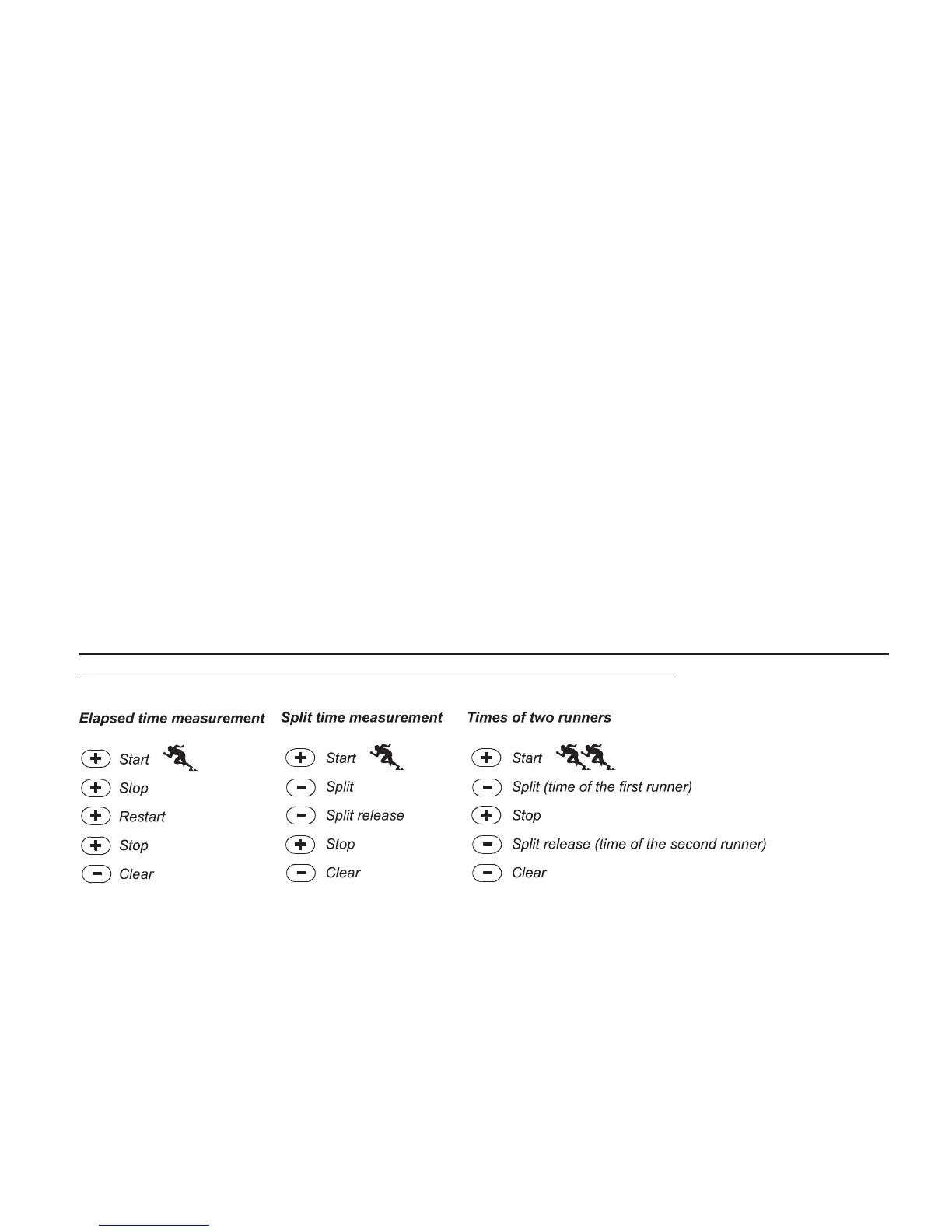
2. PRESS the [-] button to reset the stopwatch to zero once the stopwatch has stopped.
In the split time mode:
1. PRESS the [+] button to start the stopwatch.
2. PRESS the [-] button once to stop the stopwatch and to display a split time. This split time and the momentaneous heart rate
reading will be stored in the memory for later viewing. The stopwatch will automatically start running after displaying the split time
for 5 seconds. Repeat this procedure for each split time.
3. PRESS the [+] button to stop the stopwatch.
4. PRESS the [-] button to reset the stopwatch to zero once the stopwatch has been stopped.
In the two nish time mode:
1. PRESS the [+] button to start the stopwatch.
2. PRESS the [-] button once to stop the stopwatch and to display the rst nish time. This nnish time will be stored in the memory
for later viewing. The stopwatch will automatically start running after displaying the nish time for 5 seconds. Repeat this procedure
for each runner.
3. PRESS the [+] button to stop the stopwatch.
4. PRESS the [-] button to reset the stopwatch to zero once the stopwatch has been stopped.
Note: If the user is in other modes or submodes when the stopwatch function is activated, the stopwatch will continue and remain in



 To Next Page