4.2. LED lights
LED lights are designed to enhance your visibility during sports activities in darker conditions.
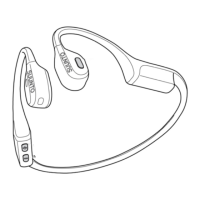
Thanks to the red LED lights on the sides of your Suunto Wing, your surroundings can notice
you more easily.
You can turn the LED lights on or o and you can select from dierent light modes: static
lights or blinking with dierent intervals. Turn the LED lights on or o and switch light modes
in the Suunto app or by long pressing the [–] button.
WARNING: The LED lights do not replace any professional protective or rescue
equipment. Always make sure that you use the appropriate safety gear for your specific
activity.
WARNING: The visibility range of the LED lights may be aected by various factors,
including weather conditions, ambient brightness, air quality, and other external factors.
Always consider these factors before using your headphones.
NOTE: The LED lights accelerate the battery consumption of the headphones, and when
turned on, they reduce the battery life by about 50%.
NOTE: LED lights have a protective coating that protects the lights during production.
Please note that this coating will wear o the product over time. This phenomenon is normal
and it does not cause any quality change.
4.3. Sound mode
You can choose from dierent sound modes when wearing your headphones. Your Suunto
Wing oers a normal sound mode for everyday use and light exercises and another sound
mode for outdoor trainings and noisy conditions. In the outdoor sound mode, the volume is
higher. Select the mode that provides the best experience in your given situation.
NOTE: Noise may occur at high volume levels.
While listening to audio, you can switch sound mode by keeping the multifunction button and
the [+] button pressed simultaneously for 3 seconds. If you have Suunto app installed on your
phone, you can also change sound mode in the app.
WARNING: Prolonged use of headphones at high volume levels can lead to hearing
damage and sound distortion.
WARNING: Wearing headphones may impact your ability to hear your surroundings. Use
your headphones responsibly and prioritize safety.
4.4. Voice feedback
If you have a voice feedback capable Suunto watch, you can get voice feedback with
valuable information during your exercise. The feedback can help you to keep track of your
progress and give you useful indicators, depending on what feedback options you have
selected. The voice feedback comes from your phone so your watch and your headphones
must be paired with Suunto app.
Suunto Wing
11


 To Next Page