the Bluetooth list of the paired device and ensure quick reconnection, simply disconnect the
devices. If you want to completely remove the headphones from the Bluetooth list of the
paired device, delete the headphones from the list of Bluetooth connections. In this case, if
you want to use the headphones and the Bluetooth device again, you have to start pairing
from the beginning.
NOTE: If you move outside of the Bluetooth connection range for more than 3 minutes
while wearing Suunto Wing, the headphones and the paired device disconnect.
When the Bluetooth connection between the headphones and the compatible device is lost,
Suunto Wing automatically enters standby mode to save power. When the headphones are in
standby mode, press any button to quickly reconnect to the Bluetooth device.
3.4. Pairing
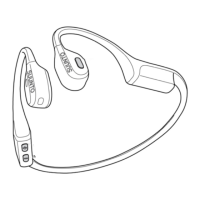
Before you use your Suunto Wing for the
first time, you need to pair it with a compatible
device.
If Suunto Wing is not switched on:
1. Keep the [+] button pressed. After 3 seconds, Suunto Wing switches on. Do not release
the button.
2. Keep the [+] button pressed for 2 more seconds to enter pairing mode. When the red LED
lights start blinking, the product is ready for pairing.
3. Make sure Bluetooth is enabled on the device you want to pair your Suunto Wing with.
4. Under the Bluetooth settings of the compatible device, open the list of nearby devices.
5. Find Suunto Wing on the list and pair the headphones with the device.
When the pairing is successful, the headphones will play a sound and the LED lights switch
o.
If Suunto Wing is already on:
1. Keep the [+] and [–] buttons pressed simultaneously for 3 seconds to enter pairing mode.
When the red LED lights start blinking, the product is ready for pairing.
2. Make sure Bluetooth is enabled on the device you want to pair your Suunto Wing with.
3. Under the Bluetooth settings of the compatible device, open the list of nearby devices.
4. Find Suunto Wing on the list and pair the headphones with the device.
When the pairing is successful, the headphones will play a sound and the LED lights switch
o.
3.4.1. Near-field communication (NFC)
Your Suunto Wing can be paired with a compatible mobile phone using NFC.
When the headphones are on, put their left side with the NFC logo close to the part of your
mobile phone where the NFC chip is placed. A popup message appears on the screen
oering to pair the phone with Suunto Wing.
Suunto Wing
8


 To Next Page