To activate voice feedback on your watch before an exercise:
1. Before starting an exercise, scroll down and select Voice feedback.
2. Toggle Voice feedback from app on.
3. Scroll down and select which voice feedback you want activated by turning the toggles
on/o.
4. Make sure your headphones are on and paired with Suunto app.
5. Go back and start your exercise as you normally do.
Your phone will now bring you various voice feedback during your exercise, depending on
which voice feedback you have activated.
To activate voice feedback on your watch during an exercise:
1. Press the upper button to pause the exercise.
2. Select Options.
3. Scroll down and select Voice feedback.
4. Toggle Voice feedback from app on.
5. Scroll down and select which voice feedback you want activated by turning the toggles
on/o.
6. Make sure your headphones are on and paired with Suunto app.
7. Go back and resume your exercise.
4.5. Dual device connection
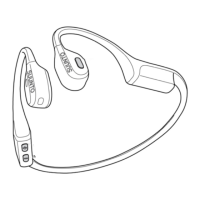
You can connect your Suunto Wing to two Bluetooth devices at the same time. With the help
of the dual device connection function, you can easily switch to your phone and answer a call
while listening to music from your computer.
Follow these steps to pair your headphones with two devices:
When the headphones are switched
o:
1. Keep the [+] button pressed for 5 seconds to switch the headphones on and enter pairing
mode.
2. While the red LED lights are blinking, keep the multifunction button and the [+] button
pressed simultaneously for 3 seconds to enable dual device connection. The headphones
will play a sound when the function is enabled.
3. Under the Bluetooth settings of the
first compatible device, open the list of nearby
devices.
4. Find Suunto Wing in the list and pair the headphones with the
first device.
5. Keep the [+] and [–] buttons pressed simultaneously for 3 seconds to enter pairing mode
again.
6. Under the Bluetooth settings of the second compatible device, open the list of nearby
devices.
7. Find Suunto Wing on the list and pair the headphones with the second device.
8. When you connect the second device, the
first device temporarily disconnects from the
headphones. To reconnect the
first device, go to the Bluetooth settings of the device or
simply restart the headphones.
Suunto Wing
12


 To Next Page