3.5. Suunto app
With the Suunto app on your phone, you can further enrich your Suunto Wing experience. Pair
your headphones with the mobile app to adjust Head Movement Control, sound mode, light
mode and more.
To adjust headphones settings in Suunto app:
1. Pair Suunto Wing with the compatible mobile device via Bluetooth. See 3.4. Pairing.
2. Download and install Suunto app on your compatible mobile device from the iTunes App
Store, Google Play or several popular app stores in China.
3. Start Suunto app on your phone.
4. The app automatically connects to your headphones.
5. Go to your profile in Suunto app and open the headphones menu to adjust product
settings.
3.6. Wearing the headphones
Suunto Wing headphones are bone conduction headphones with open-ear style, allowing you
to listen to audio and still hear your surroundings during exercises.
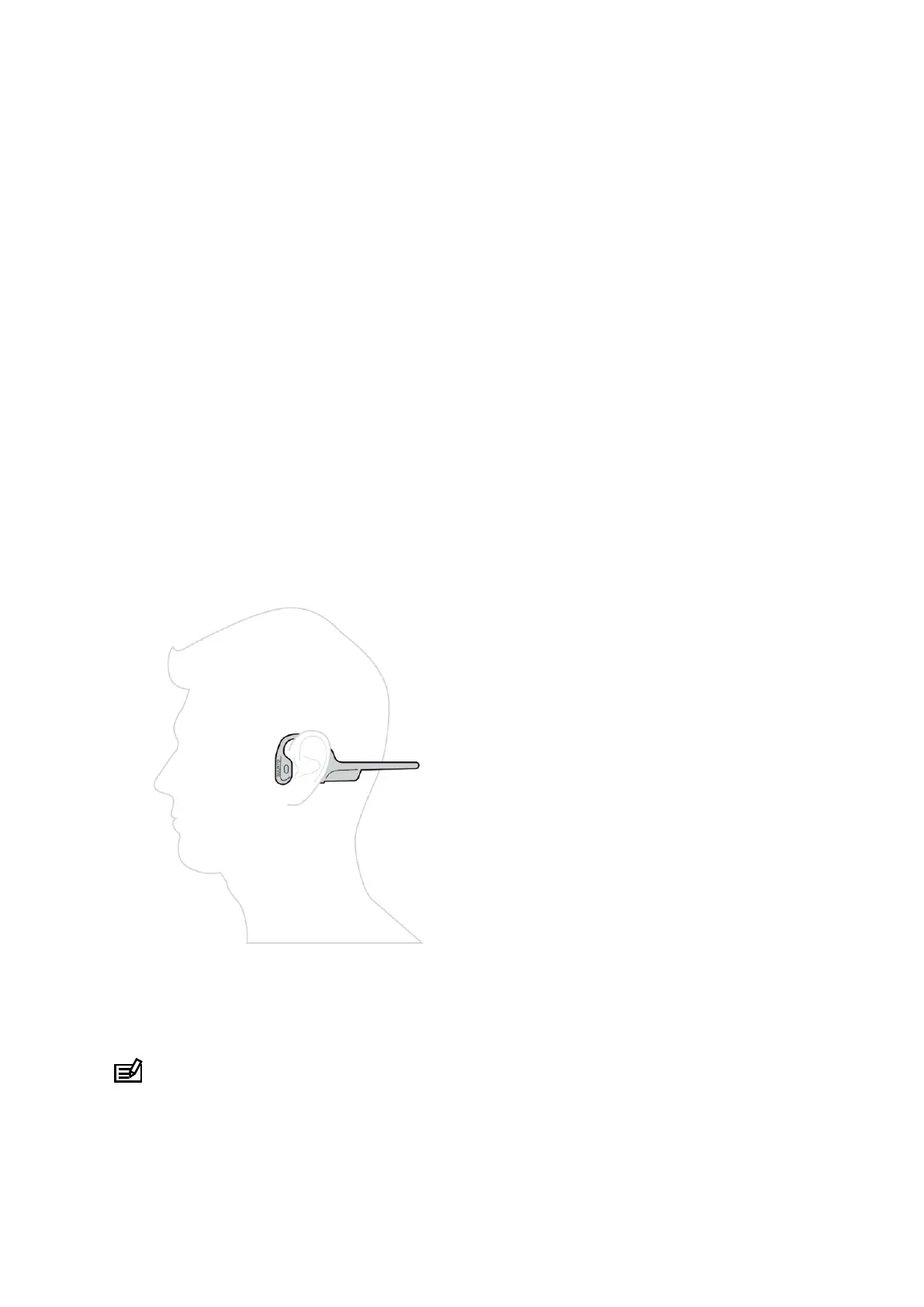
For the proper experience, put the headphones to the back of your head, with the hooks on
your ears so that the transducers rest in front of your ears. Keep the back of the headphones
parallel to the ground.
Whether you are training in the gym or you are out on rugged paths, the headphones stay
stable on your head. Thanks to their light weight and the open-ear style, the headphones are
comfortable to use for several hours. You can wear Suunto Wing together with a bike helmet
or a hat and even under a beanie.
NOTE: For a better acoustic experience in noisy conditions, the package of your
headphones contains a pair of earplugs.
Suunto Wing
9


 To Next Page