In-situ check with SV 110
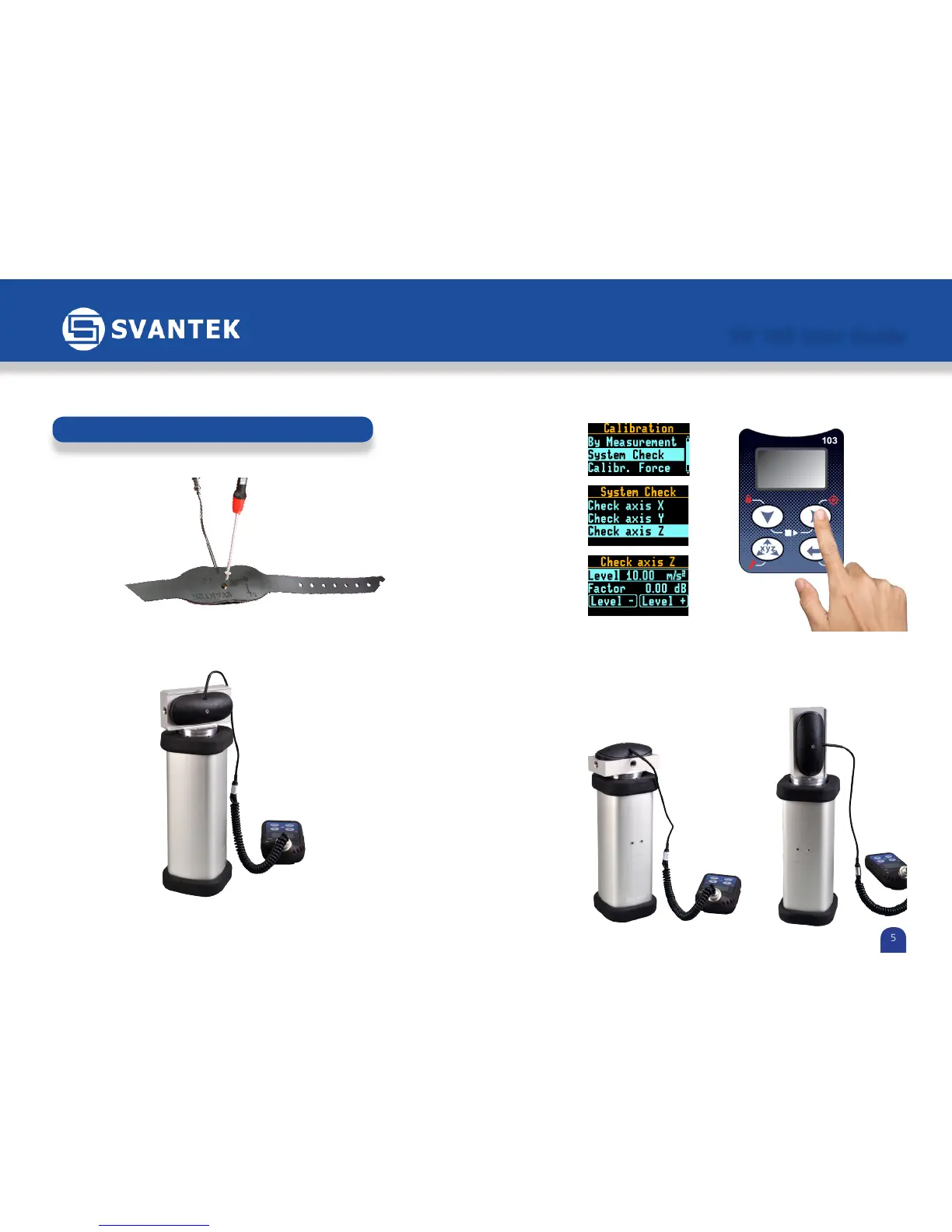
1) Unscrew the SA 151 adapter from the SV 107 sensor
2) Mount the SA 105A adapter on the SV 110 hand-held calibrator*.
Using magnets connect the SV 107 to SA 105A.
Installation of SV107 on the calibrator
5) Start the calibrator using level of 10 m/s
2
at 80 Hz and wait until all LEDs
are green.
6) Press Enter on SV 103 to start the check procedure.
7) Repeat the procedure for all 3 axes.
SV 103 User Guide
5
4) Enable Calibration menu in SV 103 by holding Right Arrow button.
Select the System check and axis.
*SV110 calibrator and SA105A adapter are not the part of the SV103 kit. They need to be ordered additionally.



 To Next Page