ENG
CD
PC
DVD
Player
FM
ANT
Right
speaker
FM antenna
2RCA to 2RCA
signal cable
2RCA to mini-jack
signal cable
A UX
PC
R
R
L
L
OFF
ON
Left
speaker
USB flash/SD card
connection
CD player
AU D IO O U T P U T
RA DIO A NT
AUDIO INPUT
R
L
POWER SWITCH
Fig. 4. Connection diagram
SD/MMC
CARD
USB
USB
SD
5.
PREPARATION AND OPERATION
Speaker placement
• Place the speakers symmetrically to the listener at least one meter away. The subwoofer emits
non-directional sound, therefore it can be located in any place of the room where it so unds the best.
• Place MSS far away from monitors and TV sets, as insignificant image distortion in these super-
sensitive devices is possible
.
Installation and operation
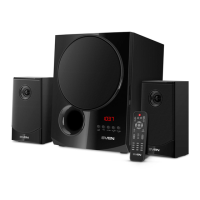
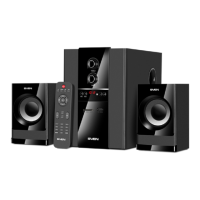
MS-2050 speaker system can be connected to virtually any audio devices: DVD/CD players, PCs,
laptops, etc. (see connection diagram in Fig. 4).
• Before making any connections, make sure the MSS is off and unplugged. Then connect speakers
to the subwoofer AUDIO OUTPUT L/R o terminals with the help of included audio cables. Observing the
polarity connect the right speaker to the subwoofer AUDIO OUTPUT R with the audio cable and the left
speaker – to the AUDIO OUTPUT L. Pay attention that the plus (red) cable wires of speakers must be
connected to the subwoofer plus terminals (+ → +) and the minus (
black)
cable wires of speakers – to the
subwoofer minus terminals (– → –) (see connection diagram in Fig. 4).
Note. Check the reliable fixation of wires in the terminals, polarity of connection and ab-
sence of contact of the bared wires with each other and the metal parts of the hardware
.
5
Operation Manual
MS-2050MS-2050
Operation Manual


 To Next Page