ENG
8
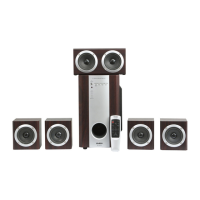
2.1 Multimedia
Speaker System
• In order to have the high-delity reception orient the antenna in direction of radio signal when
listening to the radio, rst connecting the antenna to FM ANT jack j (see Fig. 4).
• When the MSS operation is over, mind to switch it o using switch m (OFF position) and unplug
the power cord n from the socket.
6. OPERATION MODES
Player Mode
• The system will enter the Player mode automatically when a carrier (USB ash or SD/MMC
card)* is connected to corresponding ports g or h; or press MODE button b on the front pan-
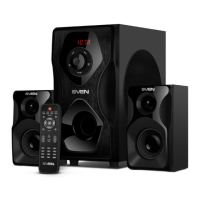
el of the subwoofer or USB/SD button e on the remote control. The LED display c will show
theselected mode, then the number of the tracks found and the track’s number ontheplay list
andthen the playback time. The playback will start automatically.
• To select a track, you can directly enter its number on the remote control using the numeric
pad buttons b. The display c will show the track number for a short time and then the play-
back time elapsed.
• EQ mode (in the Player mode). There are 7 available preset settings: bas; pop; roc; jaz; cla;
cou; nor.
* The operation may be incorrect if a SD card of 512 Mb capacity or lower is used. If a USB ash
device of 8 Gb capacity or more is used, command processing time may be extended.
Tuner Mode
• Use MODE button b on the front panel of the subwoofer or FM button j on the remote con-
trol to enter the Tuner mode. The display c will backlight the current adjustment frequency.
• Press and hold button a on the front panel of the subwoofer or button f on the remote
control short to auto scan and memorize the found stations. The second pressing of this button
before the scanning is over will stop the auto scanning process. The display c shows the fre-
quency being scanned, when a radio station is being memorized, the display shows its assigned
sequence number for a short moment.
• For manual scanning, use buttons TUNING -/+ h on the remote control (up/down the fre-
quency range).
• If preset radio stations are available in the memory, you can switch from one to another
byshort pressing buttons d and e on the front panel of the subwoofer or buttons g and l
ontheremote control. You can also enter the frequency or the number of the preset station us-
ing numeric pad buttons b on the remote control. The display c will show the station number
for ashort moment and then its frequency.
«Line input» Mode (PC)
• Press MODE button b on the front panel of the subwoofer or PC button d on the remote
control to switch to the PC mode. The display c will show PC inscription.
ST-BY Mode
• To enter/exit this mode, press and hold down MODE button b on the front panel of the sub-
woofer or button a on the remote control.
MUTE Mode
• To enter the MUTE mode, press button c on the remote control. To exit the MUTE mode,
press this button c once again.
Note. Due to the constant development of the software, the actual MSS operation may dif-
fer from described in this Manual. The most recent version of the Manual is available at
www.sven..


 To Next Page