19
Warning Messages/Sound
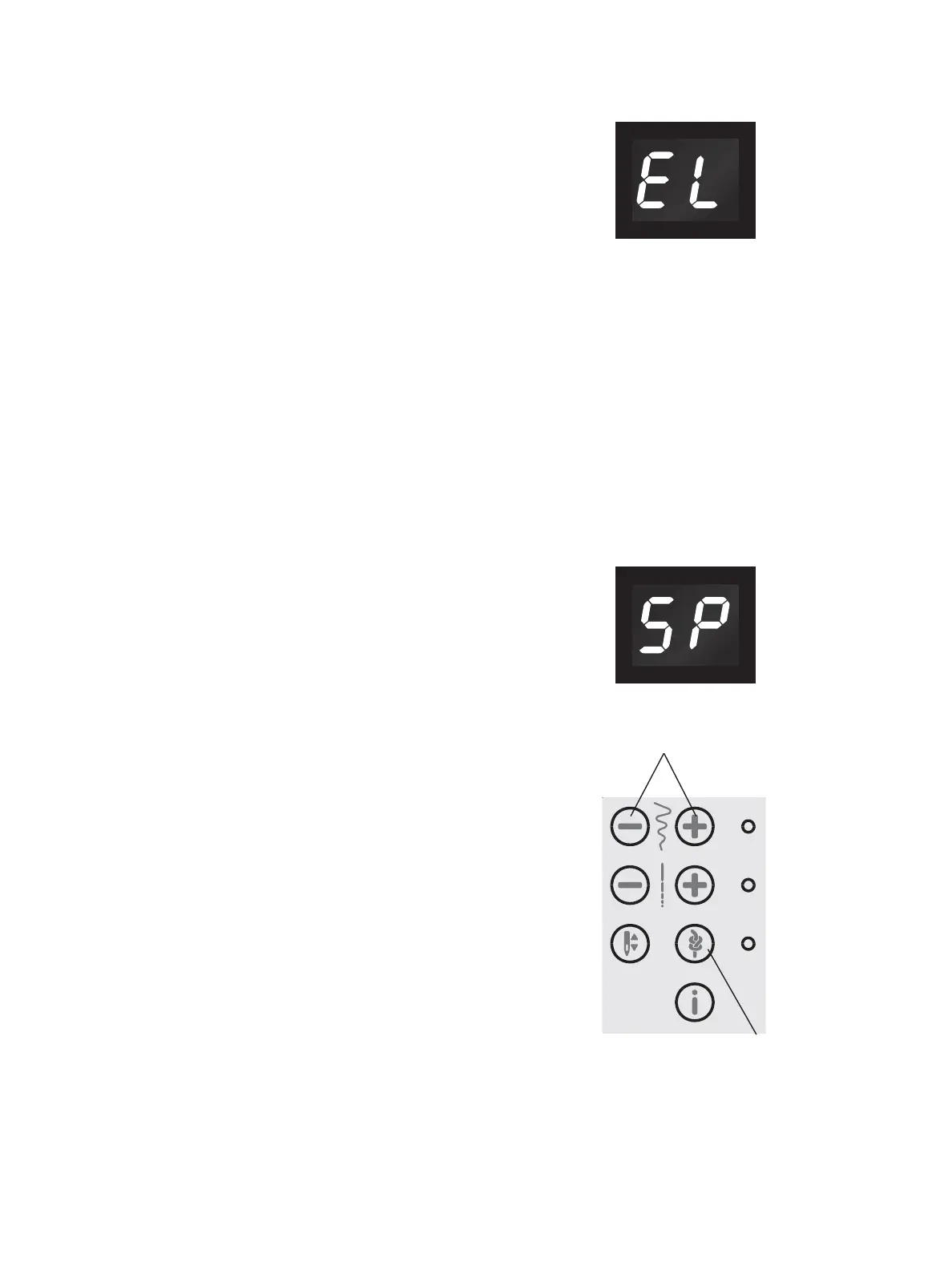
Main Motor Overloaded
Your sewing machine can get overloaded when sewing
on heavy fabrics e.g,. the thread gets twisted or jammed
or the hand wheel axle cannot move. A monotone beep
VRXQGLVKHDUGDQGWKHOHWWHUV(/ÀDVKRQWKH/('
display. Please refer to the Troubleshooting section of
WKLVPDQXDOWR¿QGDUHFRPPHQGHGVROXWLRQ:KHQWKH
problem has been solved, the machine will continue to
sew.
Note: When sewing, if the thread gets jammed inside
the hook preventing the needle from moving and you
continue pressing the foot control, the security switch
will stop the machine completely. Restart the sewing
machine by switching the ON/OFF switch to the OFF
position and then ON again.
Bobbin Winding Position
When the bobbin lever is pushed to the right, the letters
63ÀDVKRQWKH/('GLVSOD\
If you press any button, a beep will inform you to push
the bobbin winder spindle to the left, sewing position.
Note: You cannot sew in bobbin winding position.
Machine Sound
It is possible to turn off the sound on the machine
EXWWRQV3UHVVWKH,PPHGLDWH7LHRII%XWWRQ$ZKLOH
turning on the machine.
6HOHFWEHWZHHQWKHDXGLRRQRURIIE\WRXFKLQJWKHVWLWFK
ZLGWK³´RU³±´EXWWRQV%
7RXFK³´WRWXUQRIIWKHDXGLRDQGWKHGLVSOD\ZLOOVKRZ
³´7RXFK³´WRWXUQRQWKHDXGLRDQGWKHGLVSOD\ZLOO
VKRZ³´
Press the Immediate Tie-off Button again to return to
sewing mode.
A
B



 To Next Page