3
1
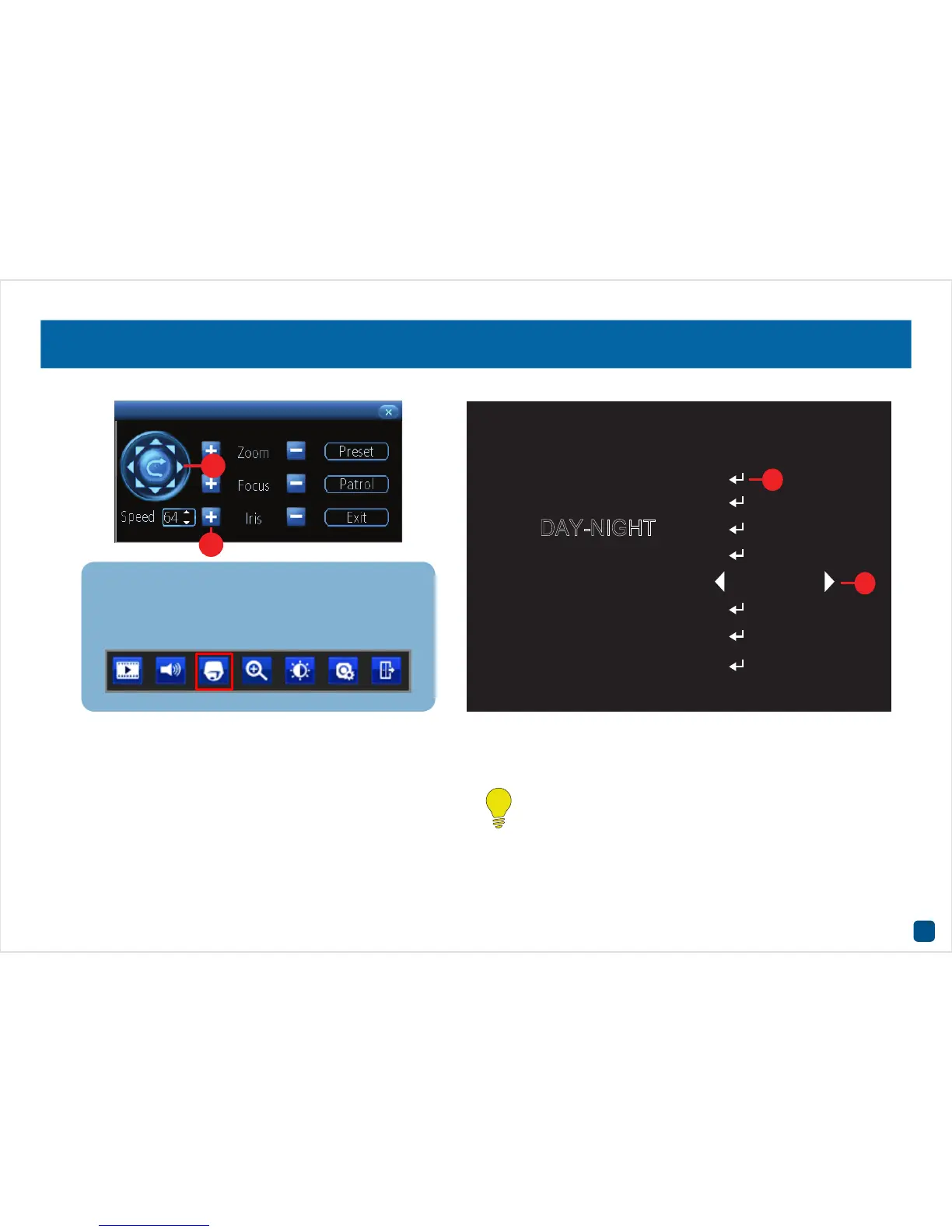
The OSD menu is controlled by the PTZ controls on your DVR (as seen
above). The Iris+ button (1) on your recorder serves as the menu activate
button, as well as your ‘Enter’ button inside the menu. You will see the
CR (2) icon whenever you can use the ‘Enter’ (Iris+) button to access a
sub-menu.
The left and right PTZ control buttons (3) are used to change the option
you currently have selected, when there are arrows (4) on a menu option.
The Zoom, Focus and Speed functions have no effect when using this
camera.
For camera connection instructions and an explanation of the PTZ
controls, please consult the camera and DVR instruction manuals
available at our website.
Don’t forget, to access the PTZ controls, select your
camera and the camera toolbar will appear (as seen be-
low). Then, choose the PTZ button (highlighted) to open
the PTZ controls to get started.













 To Next Page