2
Configuring your DVR
The camera uses a special control method called “Coaxitron” that sends the control signal down the video signal. This makes the configuration
much easier than conventional PTZ cameras, but your DVR may not be set up to control the camera when you first receive it.
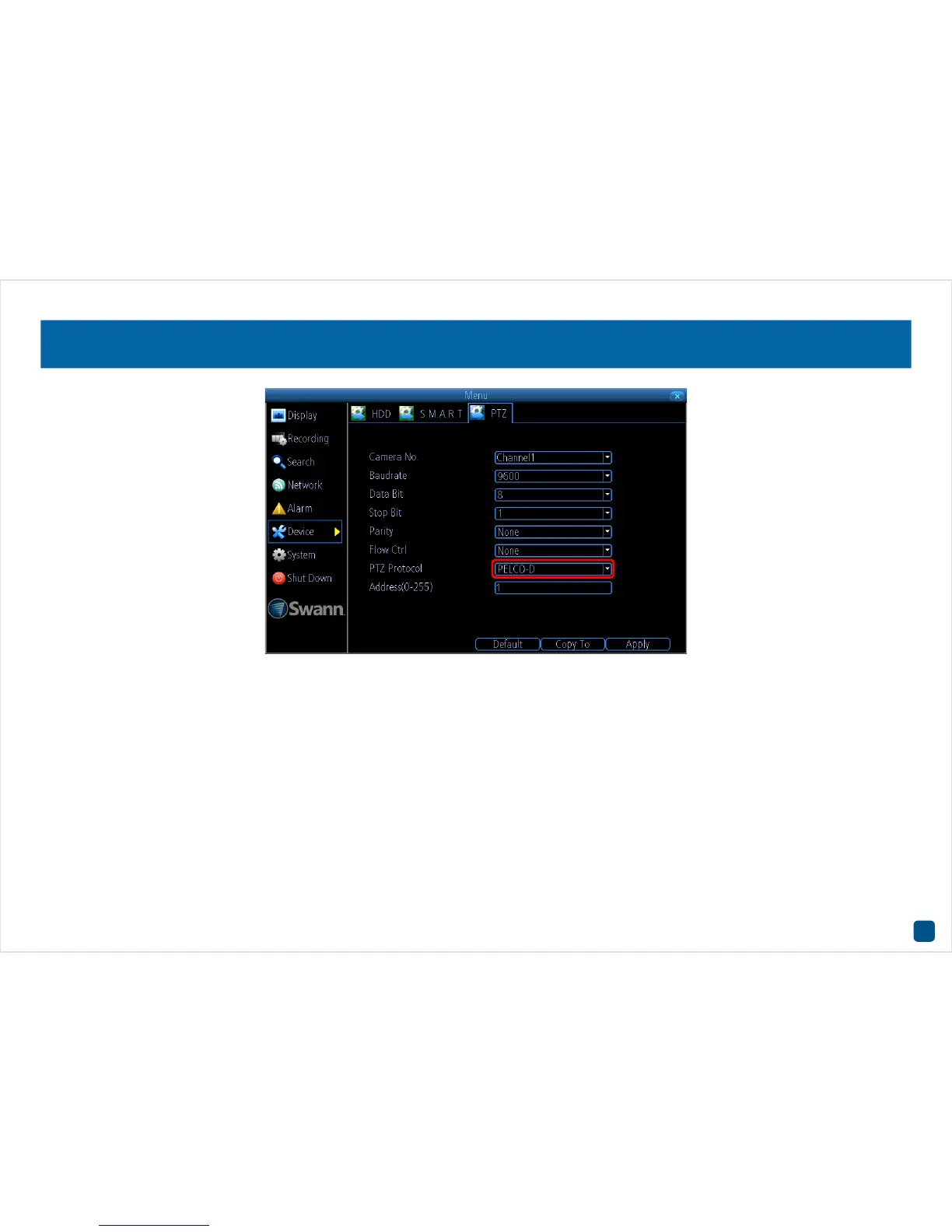
1. To configure your DVR, right-click the mouse then click “Menu” (enter your password if needed).
2. Click “Device” then click “PTZ”. For the “Camera No.” click the drop-down menu then select the channel number that the camera is connected
to.
3. For the “PTZ Protocol” (as seen above), click the drop-down menu then select “PELCO-C (Coaxitron)”. Click “Apply” to save settings, click “OK”
to continue then right-click the mouse to exit the Menu.













 To Next Page