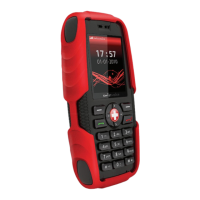
Swissvoice MP03
84
Setting the receiver volume
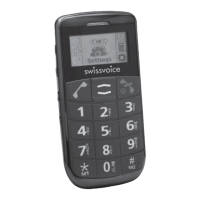
• The volume can be adjusted during a call using the
keys + / - on the left side of the mobile phone. The set-
ting will be saved.
Activating hands-free
• During a call: Press the Call key, select Hands free
and press the Call key. The loudspeaker will be swit-
ched on and the corresponding symbol appears in the
display.
• Press the End Call Key to cut off the connection.
Warning:
Do not hold the device near your ear when the loudspea-
ker is in use, because the volume may be extremely loud.
Muting the microphone in the handset
• During a call press the Call key, select Mute and press
the Call key. The microphone is muted and the corres-
ponding symbol appears on the display.
• For unmuting the microphone press the Call key,
select Unmute and press the Call key.
Setting up a 3-party conference
“3-party“ is a network feature to talk to multiple subscri-
bers simultaneously (check with your service provider).
• Call the first subscriber.
• Press the Call key, select Conference Call.
• Enter the number of the second subscriber (or search
for the number in the phonebook).


 To Next Page