11
Submenu introduction(the default values are marked with underline )
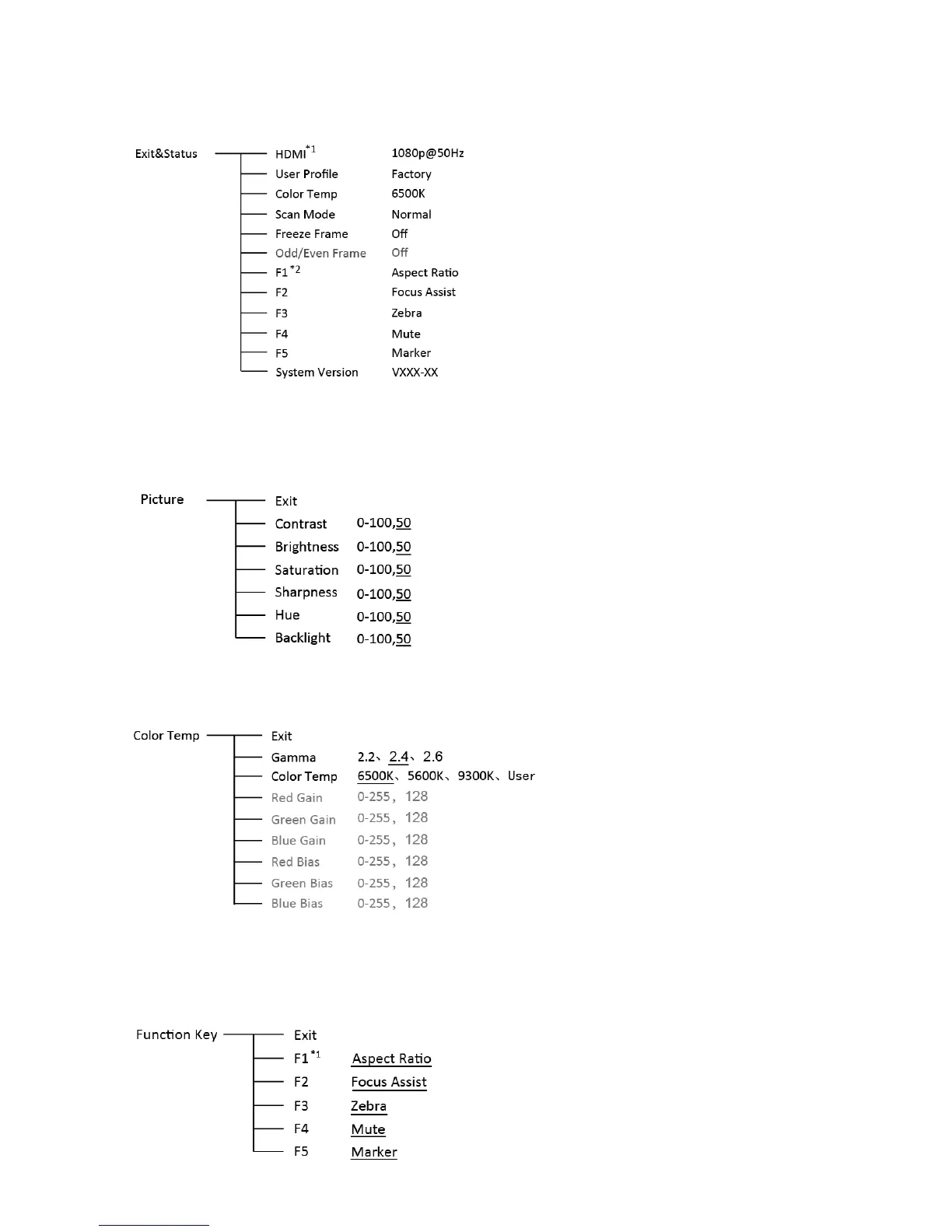
1. Exit & Status
Displays the current status, the details are as down below:
*1 Display the current video signal and format
*2 Display the current function keys setup
2. Picture
To adjust picture parameters
3. Color Temp
To select different color temperature or setup user-defined color parameters.
* Only “Color Temp” is set to “User”, the Red/Blue/Green Gain or Red/Blue/Green Bias can be
adjusted.
4. Function key
To define the F1~F5 function keys.



 To Next Page