6
Operation Instructions
·Front Panel
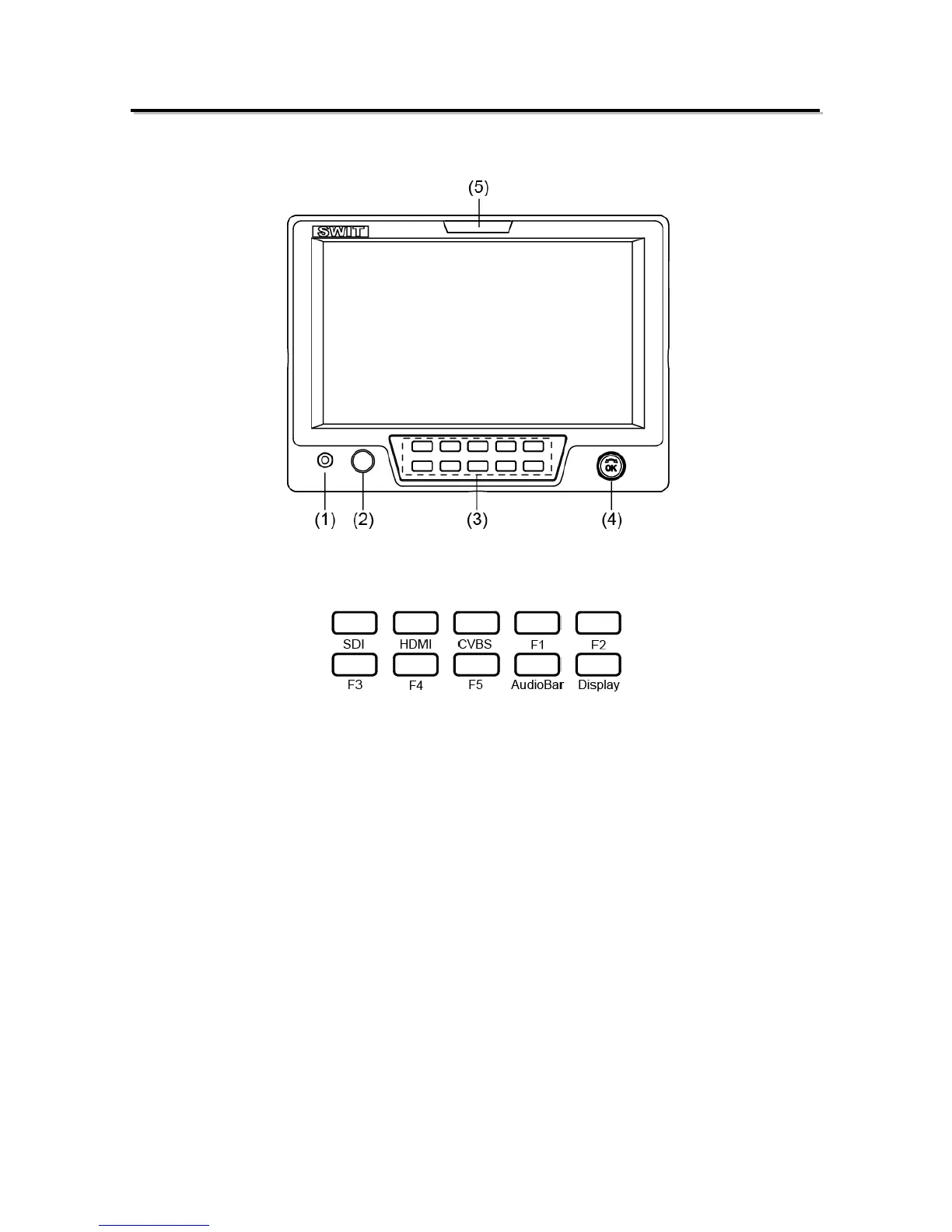
⑴ PHONE: 3.5mm earphone socket, for SDI/HDMI embedded audio and analog audio monitoring.
⑵ POWER: Power on/off
⑶ Button
SDI: Press to switch the input signal to SDI
HDMI: Press to switch the input signal to HDMI
CVBS: Press to switch the input signal to Composite video
F1~F5: User definable function keys. Please see details in “4. Function key” under “Main Menu”.
AudioBar: Press “AudioBar” to switch on/off audio bar.
DISPLAY: Press “DISPLAY” to turn on or turn off relevant status information, audio and video
analysis assistant Pattern.
When main menu is activated, press “DISPLAY” to quit menu.
⑷ Multi-function rotary knob
Main menu setting
Please see details in “Main Menu”.
Adjust volume, image display parameters
When the menu is inactivated, rotate this knob to adjust volume or image display parameters such
as brightness, contrast and saturation .etc. The parameters will be larger if clockwise adjusted.
When the menu is activated, press the rotary knob to save the previous settings, and pop up to
the next setting, which follows the sequence of” Volume→Brightness→Contrast→Saturation”
Note: This knob which is used to adjust volume and image parameters has memory function. If
Brightness is adjusted, and the menu is inactivated, rotate this knob will adjust the parameters of the
brightness.
⑸ TALLY Light: Red, Green and Yellow 3-color TALLY indicator



 To Next Page