10
Main Menu
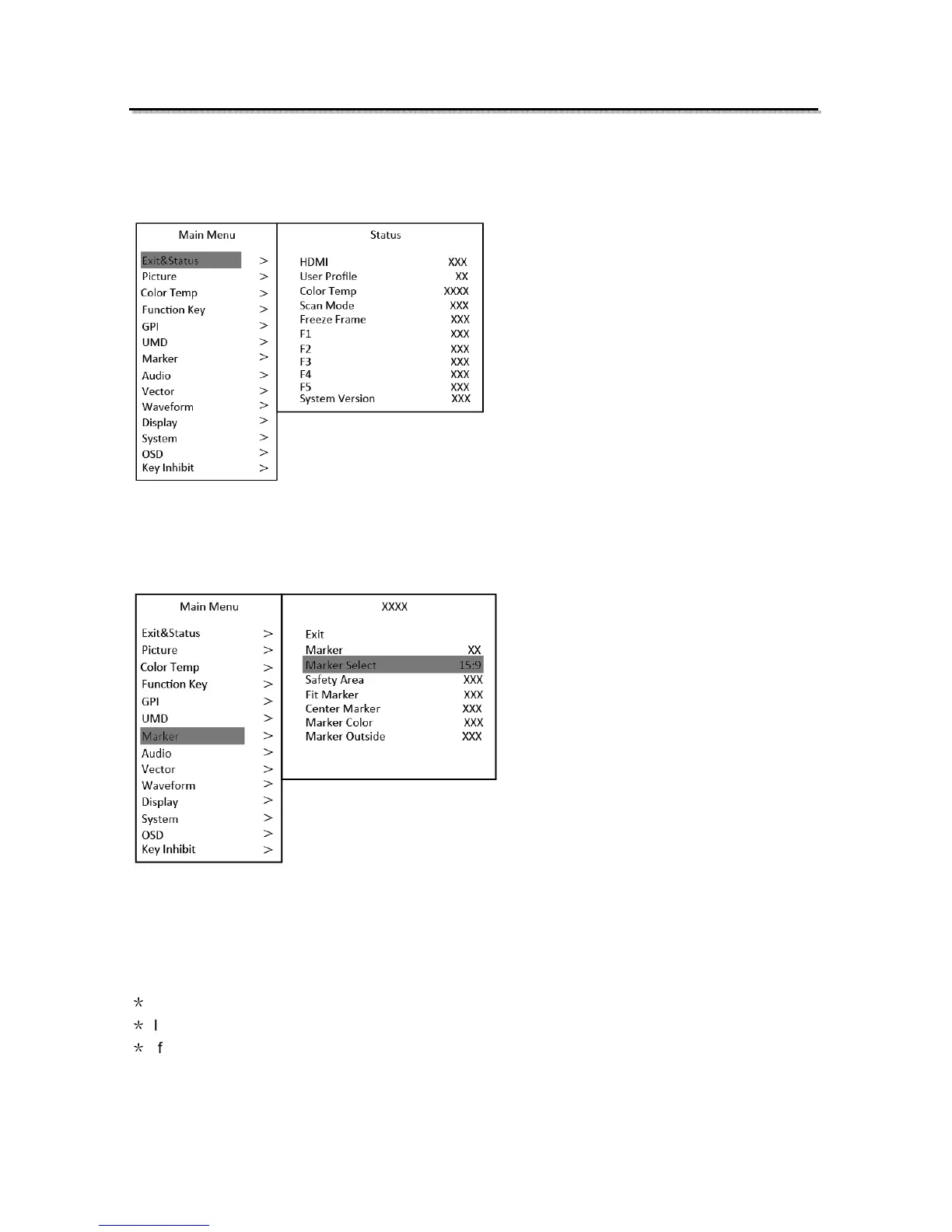
S-1093F has OSD to adjust the parameters and settings, for example: Picture, color temp.,
function keys, etc.
1. Press “MENU/ENTER” button, the main menu will popup from the left top of the screen. The
selected main menu highlights in yellow.
2. Revolve “MENU/ENTER” to select submenu, the selected submenu highlights in yellow, press
“MENU/ENTER” to apply and enter into the selected submenu’s items.
3. Revolve “MENU/ENTER” to select the item which needed to adjust, press “MENU/ENTER”, the
selected item and its parameters will be highlighted in yellow.
4. Revolve “MENU/ENTER” to change the selected item’s parameter, press “MENU/ENTER” to apply
and save the settings.
5. Revolve “MENU/ENTER” to select “Exit”, press “MENU/ENTER” to quit submenu. Select “Exit &
Status” under the Main Menu and press to quit Main Menu.
Notice:
*
The items in gray cannot be set up.
*
If there is no operation under the set time, the menu will automatically save settings and quit.
*
If the key inhabit function is turned on, except key inhibit function, all other items are in grey.
Please turn off the key inhibit function to adjust the items.



 To Next Page