Sygic GPS Navigation
User guide
Page 42 of 59
or select
Menu > Route > Traffic info
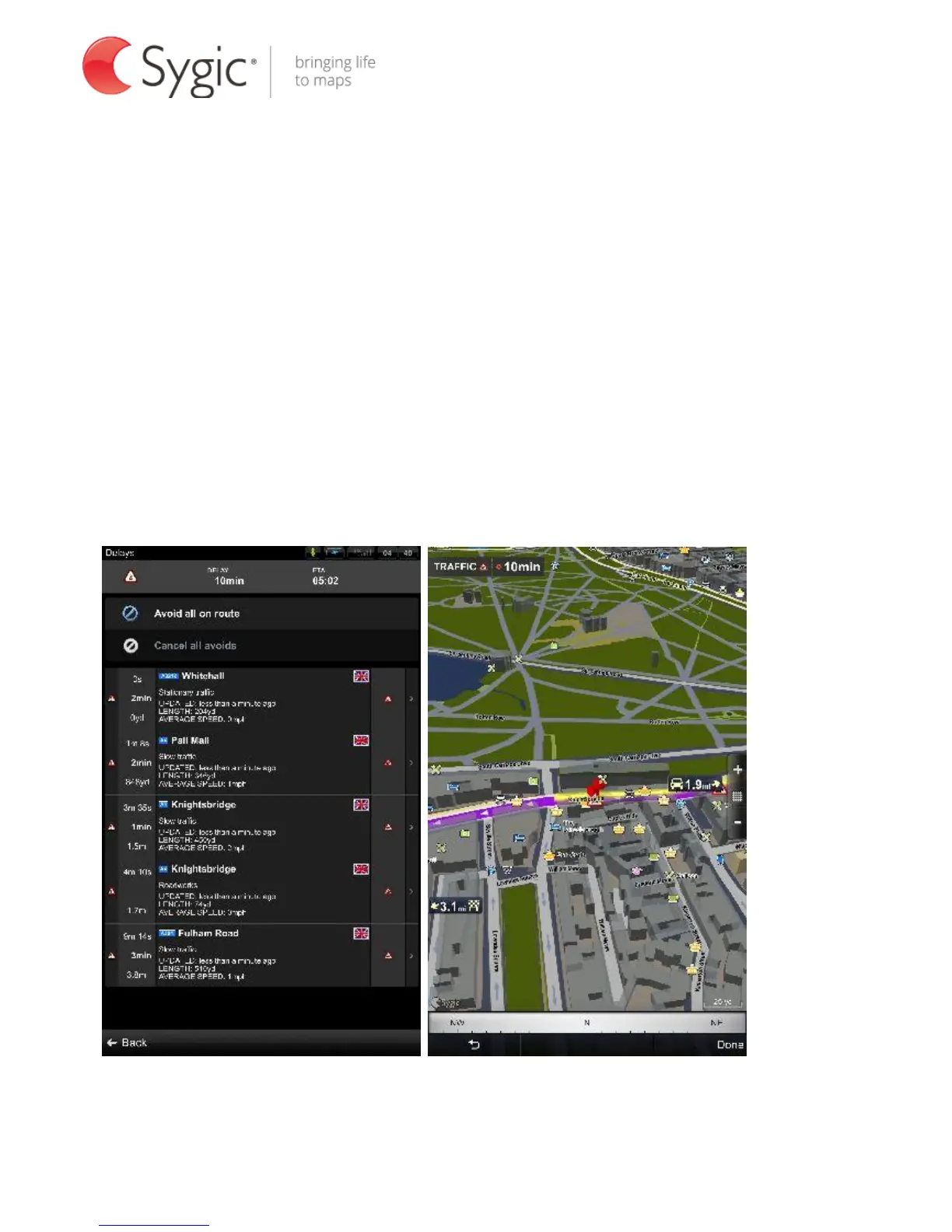
The screen will show the incidents ordered by their distance from your current
position. You can select which of them you want to avoid.
To select all the listed incidents, tap the Avoid all on route button. Incidents
selected for avoidance are marked with a solid black circle.
To select individual incidents, first tap on the incident. To show its extent on the
map tap on Show on map, to avoid it tap Avoid.
List of traffic incidents Extent of the incident on the map



 To Next Page