Sygic GPS Navigation
User guide
Page 25 of 59
VI. Turn by turn navigation
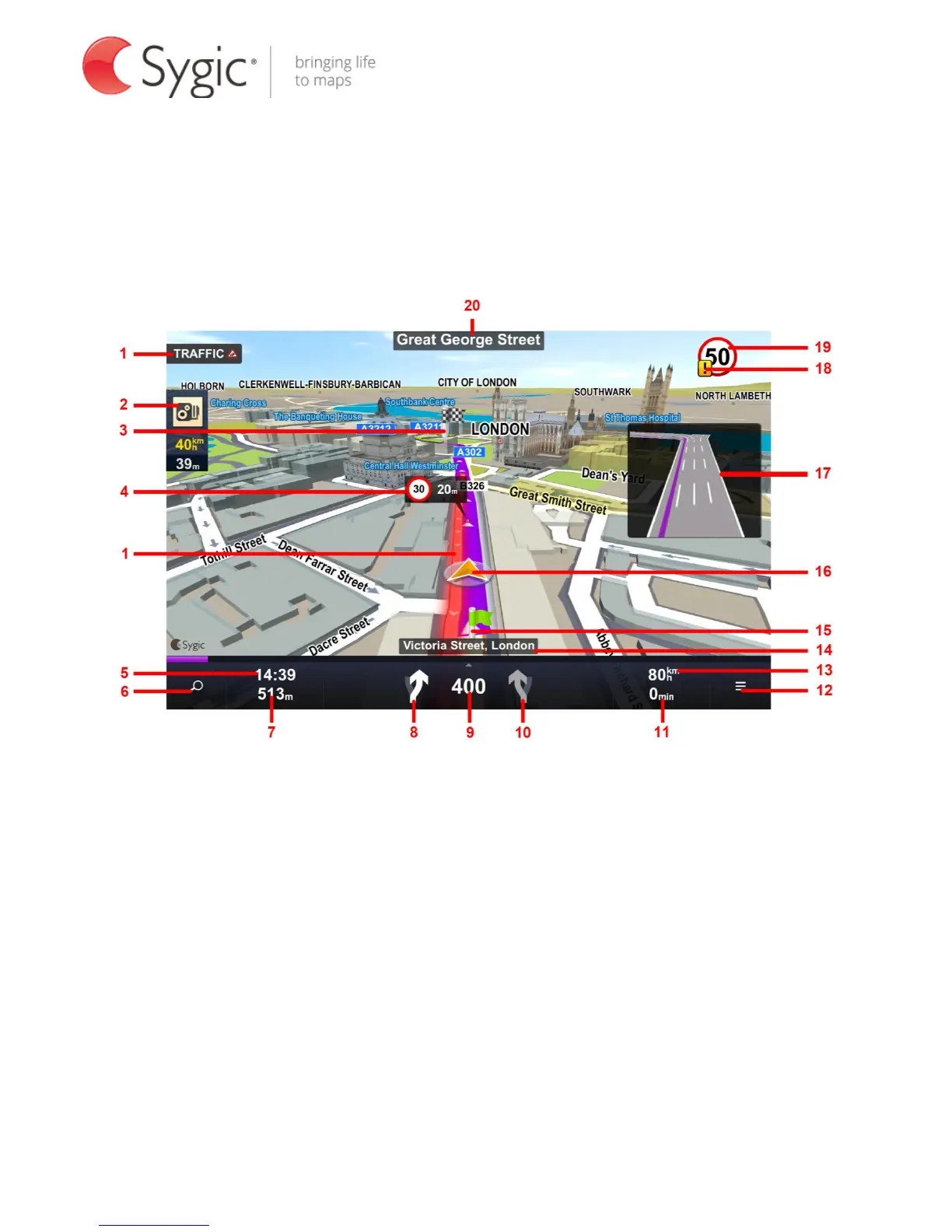
In Navigation mode the navigation screen will show the map of surrounding
area with the calculated route highlighted in violet.
As you approach a junction, further directions are displayed to indicate which
road to take.
In addition to turn by turn directions, the navigation screen also provides a
range of further useful information:
1. Traffic with current delay (if traffic is enabled)
2. Speed camera warning
3. Destination marker (if destination is within sight)
4. Upcoming speed limit change with distance to where it becomes effective
5. Estimated time of arrival at destination



 To Next Page