
 Need help?
Do you have a question about the Sygonix PYO-813 and is the answer not in the manual?
Explains the meaning of various symbols used throughout the manual for safety and guidance.
Describes the primary purpose and application of the video door intercom system.
Lists all the components and accessories included in the product package.
Provides essential general safety precautions for operating and handling the device.
Details safety guidelines specific to the use of the plug-in mains adapter.
Outlines safety precautions to be followed when using the indoor unit.
Specifies safety measures applicable to the installation and operation of the outdoor unit.
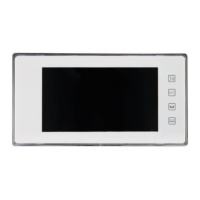
Identifies and describes the buttons, display, and terminals on the indoor unit.
Identifies and describes the components and terminals on the outdoor unit.
Covers general advice and considerations for the physical installation of the system.
Illustrates the wiring connections for a basic single-unit system setup.
Details wiring for a more complex setup with multiple indoor and outdoor units.
Step-by-step instructions for mounting the outdoor unit securely.
Guides on how to prepare and install the name tag on the outdoor unit.
Step-by-step instructions for mounting the indoor unit to a wall.
Describes the system's response and user interaction when a visitor rings.
Explains how to access camera feeds and activate functions from the indoor unit.
Details the process for direct audio communication between indoor units.
Instructions on how to use the door opener function via the indoor unit.
Guide on how to select and set different call tones for the doorbell.
How to adjust the display's brightness, contrast, and colour saturation.
Describes how to enable or disable the audio mute function on the indoor unit.
Instructions for adjusting the audio playback volume on both units.
Provides solutions for common issues where the display or audio is not working.
Offers troubleshooting steps for a non-functional door opener.
Explains potential causes and solutions for a flickering video display.
Guidance on adjusting display settings for optimal image quality.
Lists the detailed technical specifications for the indoor unit.
Lists the detailed technical specifications for the outdoor unit.
Lists the detailed technical specifications for the power adapter.
 General
| Brand | Sygonix |
|---|---|
| Model | PYO-813 |
| Category | Intercom System |
| Language | English |

 To Next Page