5
Users use Hands-free Function:
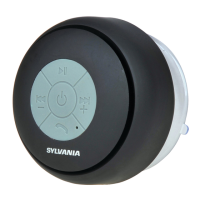
Answer Calls
The speaker will ring up when there are incoming calls during music
play, just press “ ” key shortly to answer.
Hang up calls
Press “ ” key shortly during hands-free call to hand up calls and
then return to the music play mode.
Refuse Calls
When there are incoming calls, just press for a longer time “ ” key
for more than 3 seconds to refuse calls .The caller is directed to the
voicemail of the smartphone.
AUX IN MODE:
When AUX-IN line is connected to AUX-IN Jack, the system will
automatically pause the Bluetooth, the blue LED turns on and the
unit enters into AUX-IN model. Then users can press “ ” or
“ ” to adjust the volume.
When user disconnected AUX-IN line completely out of AUX-IN jack,
the unit will re-enter into the Bluetooth SEARCH MODE and search
for the equipment connected to last time.
.
Mobile phones Support
This device supports most mobile phones and related Bluetooth
devices for playing music.
Power off
Switch the ON/OFF switch at the back of the device to “OFF” to
switch off the Bluetooth Speaker
Troubleshooting
Speaker does not respond (no power):
Make sure unit is completely charged and switched ON.
Check that all connections are correctly and properly plugged in.
Make sure your device is properly paired with the speaker.



 To Next Page