Package
Description
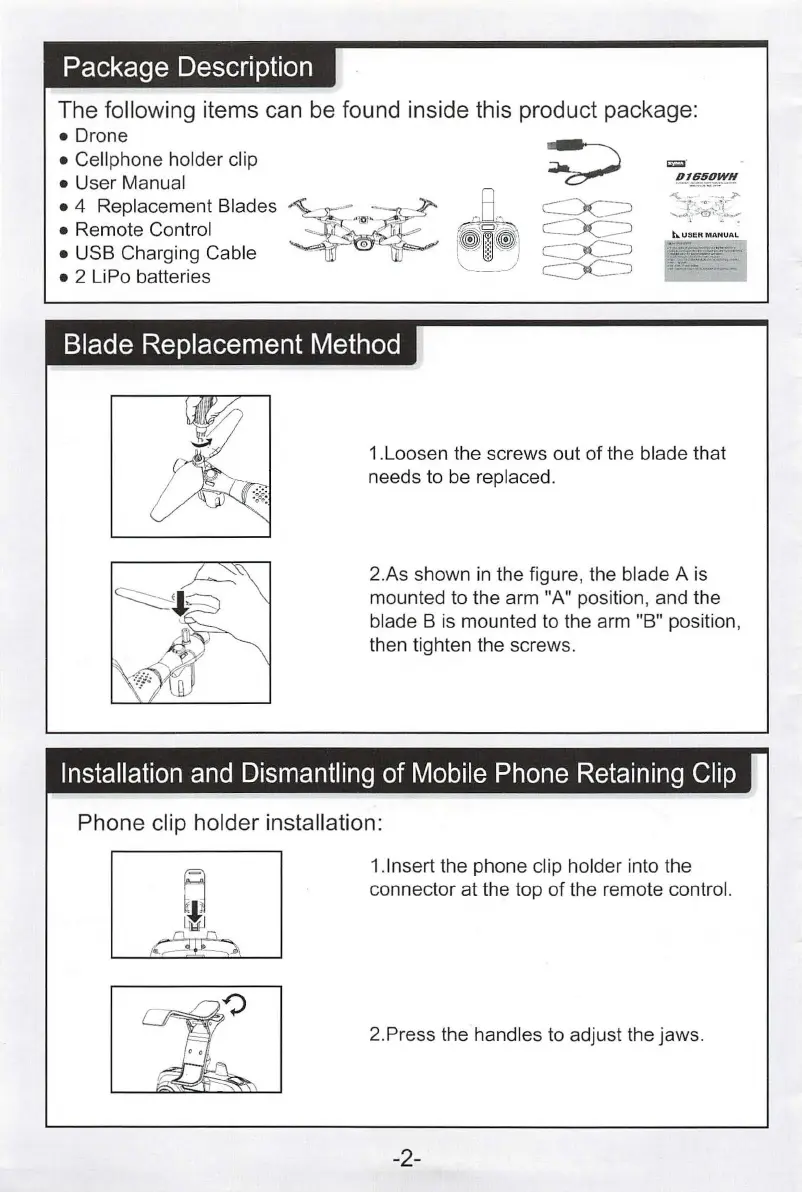
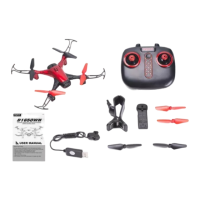
The following items can
be
found inside this product package:
•Drone
• Cellphone holder clip
= ·
• User Manual
'!.!ff.ft.!?.,_~'!
• 4 Replacement Blades
~
-
~'@'
-
• Remote Control . . 1 . . -
• USB Charging Cable " ·
0
'
~o
,
1.•
1•
"-----_/
• 2 LiPo batteries
Blade
Replacement
Method
1.Loosen the screws out of the blade that
needs to be replaced.
2.As shown
in
the figure, the blade A
is
mounted to the arm "A" position, and the
blade B
is
mounted to the arm "B" position,
then tighten the screws.
Installation
and
Dismantling
of
Mobile
Phone
Retain
i
ng
Clip
Phone clip holder installation:
1.lnsert the phone clip holder into the
connector at the top of the remote
contro
l.
2.Press the handles to adjust the jaws.
-2-


 To Next Page