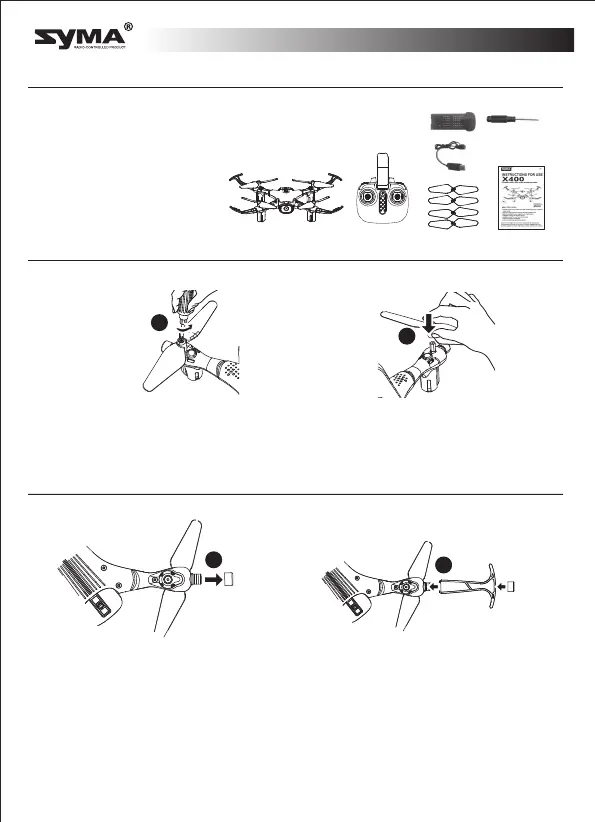
Protective Gear’s Installation Methods
Package description
●Drone
●Remote Control
●User Manual
●4 Blades
●Charging Cable
●4 Protective Gears
●Mobile Phone Retaining Clip
The following items can be found in this product package:
Remove the
screws
Re-installing
the blades
Battery
Screwdriver
●
●
Re-installing the blades
2
2
English
1. Remove the light cover on the drone.
2. Attach the propeller protector to the chassis and replace the light cover.
1
1
* A labeled blades fit on the A labele motors. Blabeled blades fit on the B labeled motors.
Use the screws to tighten the blades. Refer to the image.
-3-



 To Next Page