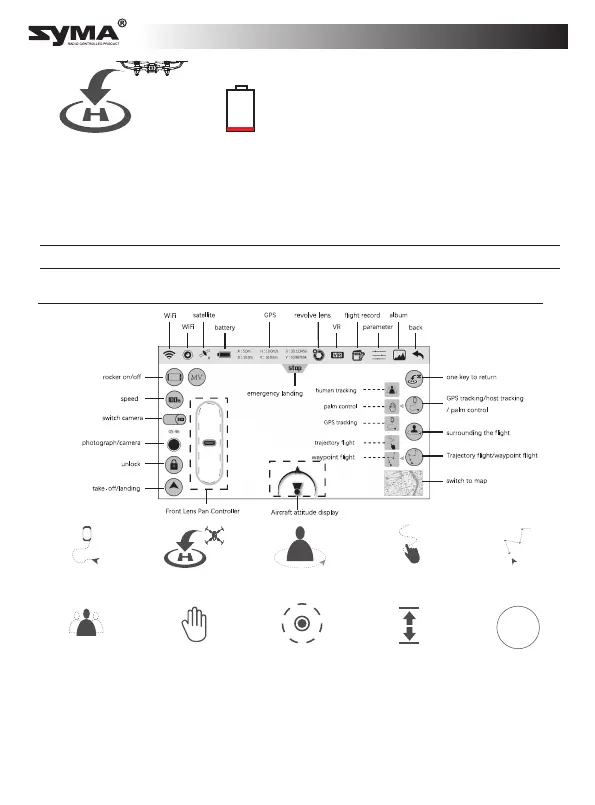
Smart app features
Human tracking
Circle flight
Optical flow
positioning
Take-off/landing MV Features
Palm control
GPS tracking Waypoint flightFlight plan
One key to retrun
MV
When the aircraft battery is low, the
aircraft will automatically return to the
take-off position. During the return flight,
you can use the joystick controls to make
the aircraft ascend, descend and move
left/right in order to avoid obstacles.
* If the aircraft is further than 20 m from the landing position, the return flight
cannot be terminated.
* If the aircraft is less than 20 m from the landing position, the return flight can be
terminated.
* Before using the smart app features, watch the video tutorial in the SYMA AIR
app or on the SYMA website.
* Ensure that you pre-configure the flight altitude and distance in the SYMA AIR
app.
Automatic return due
to low battery
Low battery
Landing position: The initial unlock/take-off position.
English



 To Next Page