6 LS1203
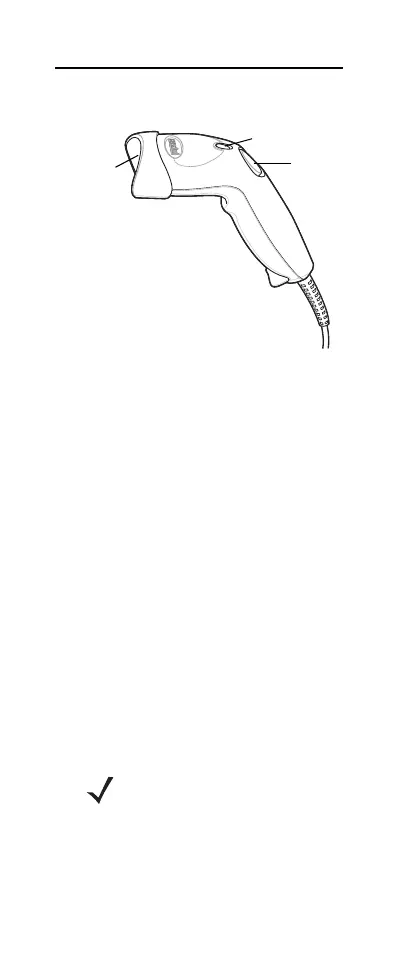
Parts of the Scanner
Scanning Modes
The scanner can operate in two modes:
•
Triggered mode - trigger button must be
pressed to emit the laser in order to
scan
a bar code.
or
•
Auto-scan mode - scanner laser is in
constant on state and no trigger button
press is required to scan a bar code.
To toggle between modes, scan
TRIGGERED/AUTO-SCAN bar codes on
page 5.
For example, if the scanner is in triggered
mode, scan AUTO-SCAN MODE to switch
to auto-scan mode. If the scanner is in
auto-scan mode, scan TRIGGERED
MODE to switch to triggered mode.
NOTE When the scanner is
not used for an extended
period of time in auto-scan
mode, it enters sleep mode.
To wake the scanner, press
the trigger button.
LED
Trigger
Button
Scan
Window



 To Next Page