EasyManua.ls Logo

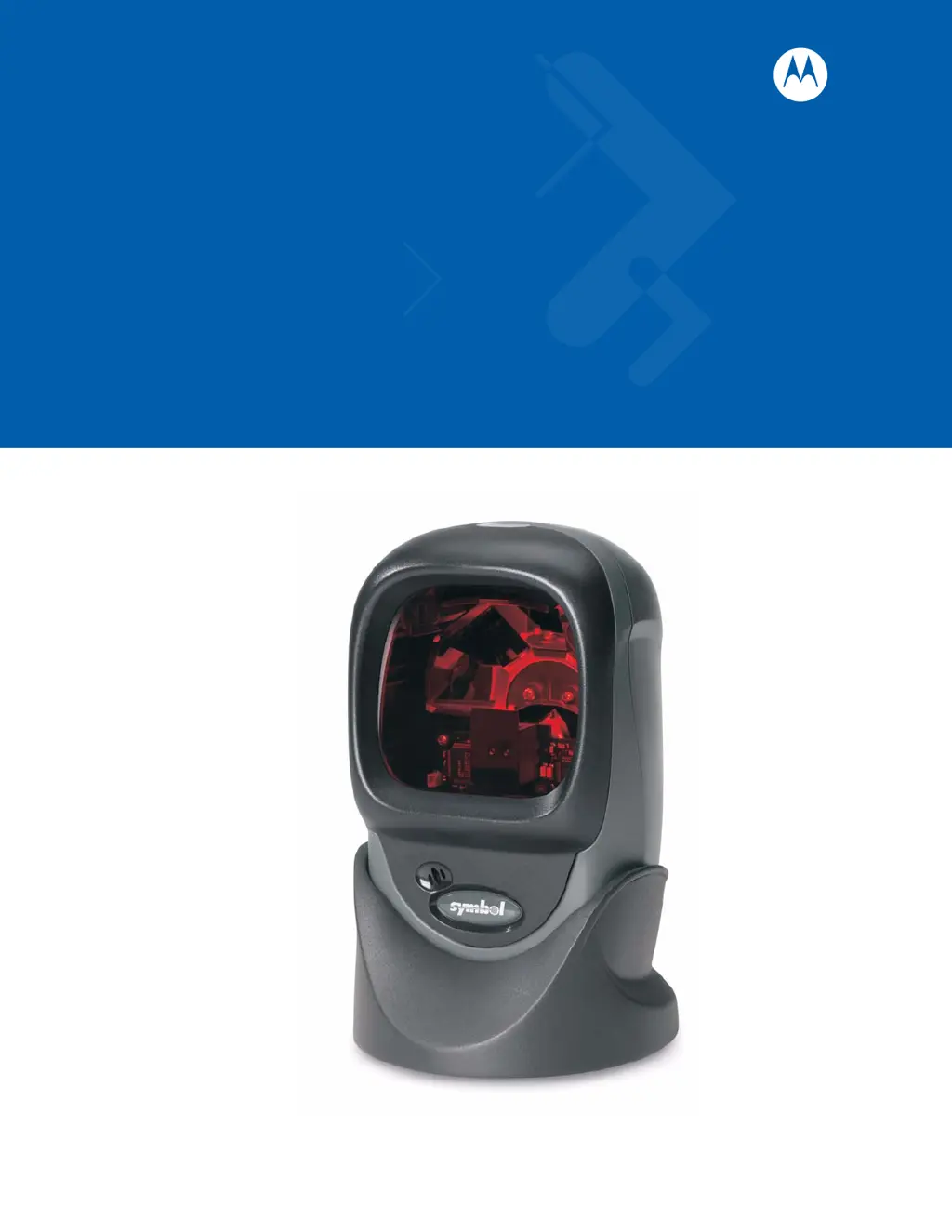
Symbol LS9203 - User Manual

Symbol LS9203
524 pages
Print Icon
To Next Page IconTo Next Page
Loading...
Symbol LS9203/LS9203i
Product Reference Guide

Table of Contents

Other manuals for Symbol LS9203

Questions and Answers

Summary

Chapter 1 Getting Started

Introduction

General instructions for setup, operation, maintenance, and troubleshooting.

Unpacking the Scanner

Instructions for removing the scanner from its packaging and inspecting it for damage.

Setting Up the Scanner

Steps for installing the interface cable and connecting power to the scanner.

Chapter 2 Scanning

Introduction

Overview of scanning techniques, beeper/LED definitions, and tips for scanning.

Scanning

Describes omni scan patterns and how to perform hands-free or hand-held scanning.

Beeper Definitions

Defines the different beeper sequences and their indications during scanning and programming.

LED Definitions

Defines the meaning of various LED flashes that indicate scanner status during operation.

Aiming

Provides guidance on how to aim the scanner for successful bar code decoding, avoiding specular reflection.

Chapter 3 Maintenance & Technical Specifications

Introduction

Covers scanner maintenance, troubleshooting, technical specifications, and signal descriptions.

Troubleshooting

Provides a table of common problems, possible causes, and suggested solutions for scanner issues.

Technical Specifications

Lists the physical and performance characteristics of the scanner, including dimensions and capabilities.

Chapter 4 User Preferences

Introduction

Describes user preference features and programming bar codes for scanner customization.

User Preferences Default Parameters

Lists the default settings for user preference parameters, with page references for changes.

Beeper Tone

Explains how to select the decode beep frequency (tone) using programming bar codes.

Beeper Volume

Details how to select the beeper volume level using specific bar codes.

Chapter 5 Keyboard Wedge

Introduction

Covers Keyboard Wedge interface information for setting up the scanner to translate bar codes into keystrokes.

Connecting a Keyboard Wedge Interface

Step-by-step instructions for connecting the scanner using a Keyboard Wedge Y-cable.

Keyboard Wedge Default Parameters

Lists the default host parameters for Keyboard Wedge interface configuration.

Keyboard Wedge Host Types

Provides options for selecting the appropriate keyboard wedge host type for the scanner.

Keyboard Wedge Country Types (Country Codes)

Enables selection of keyboard country types for proper emulation.

Chapter 6 RS-232

Introduction

Covers RS-232 host information for setting up the scanner for point-of-sale devices and computers.

RS-232 Default Parameters

Lists the default parameters for RS-232 host communication.

RS-232 Host Types

Options for selecting various RS-232 host interfaces for scanner setup.

Baud Rate

Defines baud rate settings to match the host device for proper data transmission.

Parity

Explains parity selection for verifying data integrity based on host device requirements.

Chapter 7 USB

Introduction

Covers connection and setup of the scanner to a USB host, powered directly by the host.

USB Default Parameters

Lists the default parameters for USB host configuration.

USB Device Type

Allows selection of the desired USB device type, such as HID Keyboard Emulation.

USB Country Keyboard Types (Country Codes)

Enables selection of keyboard country types for USB HID Keyboard Emulation.

Chapter 8 Wand Emulation

Introduction

Covers Wand Emulation host information for attaching the scanner to an external wand decoder.

Wand Emulation Default Parameters

Lists the default parameters for Wand Emulation host types.

Leading Margin (Quiet Zone)

Sets the duration of the leading margin, accommodating older wand decoders.

Polarity

Determines how the scanner creates the Digitized Barcode Pattern (DBP) for decoder compatibility.

Chapter 9 Symbologies

Introduction

Describes symbology features and provides programming bar codes for scanner selection.

Symbology Default Parameters

Lists the default parameters for all symbologies, allowing customization.

UPC;EAN

Configuration options for UPC/EAN symbologies, including enable/disable and supplemental settings.

Code 128

Settings for enabling/disabling Code 128 and configuring its decode performance.

Code 39

Options for enabling/disabling Code 39, including trioptic and full ASCII variants, and length settings.

GS1 DataBar (formerly Reduced Space Symbology)

Options to enable or disable GS1 DataBar variants like GS1 DataBar-14 and Expanded.

Symbology - Specific Security Levels

Provides four levels of decode security for bar code quality adjustments.

Chapter 10 Miscellaneous Scanner Options

Introduction

Includes common bar codes to customize data transmission to the host device.

Miscellaneous Default Parameters

Lists the default settings for various miscellaneous scanner options.

Prefix;Suffix Values

Allows appending prefix/suffix values to scan data for data editing purposes.

Scan Data Transmission Format

Configures how scan data is transmitted, including options for data, prefix, and suffix.

Chapter 11 Advanced Data Formatting

Introduction

Explains customizing data before transmission using Advanced Data Formatting (ADF).

Rules: Criteria Linked to Actions

Describes how ADF rules customize data by performing actions based on specific criteria.

Special Commands

Includes commands for managing ADF rules, such as Pause Duration, Begin New Rule, and Save Rule.

Code Types

Allows selection of code types that will be affected by the ADF rule.

Code Lengths

Specifies the number of characters that selected code types must contain for the rule to apply.

Appendix A Standard Default Parameters

User Preferences

Table listing default parameters for user preferences.

Keyboard Wedge Host Parameters

Table listing default parameters for Keyboard Wedge host configuration.

RS-232 Host Parameters

Table listing default parameters for RS-232 host communication.

Appendix B Programming Reference

Symbol Code Identifiers

Table listing code characters and their corresponding code types for scanner programming.

AIM Code Identifiers

Defines AIM Code Identifiers, which contain flag, code, and modifier characters.

Appendix C Sample Bar Codes

Code 39

Provides a sample bar code for the Code 39 symbology.

UPC;EAN

Includes sample bar codes for UPC-A and EAN-13 symbologies.

Appendix D Numeric Bar Codes

0, 1

Bar codes representing the numeric values 0 and 1 for parameter input.

Cancel

Bar code to scan to cancel a selection or correct an error during programming.

Glossary

Aperture

The opening in an optical system that establishes the field of view.

ASCII

American Standard Code for Information Interchange, a 7 bit-plus-parity code.

Bar Code

A pattern of variable-width bars and spaces representing data in machine-readable form.

Decode

To recognize a bar code symbology and analyze its content.

Index

actions

References related to actions performed by the scanner or in programming.

ADF

References related to Advanced Data Formatting features and settings.

Summary

Chapter 1 Getting Started

Introduction

General instructions for setup, operation, maintenance, and troubleshooting.

Unpacking the Scanner

Instructions for removing the scanner from its packaging and inspecting it for damage.

Setting Up the Scanner

Steps for installing the interface cable and connecting power to the scanner.

Chapter 2 Scanning

Introduction

Overview of scanning techniques, beeper/LED definitions, and tips for scanning.

Scanning

Describes omni scan patterns and how to perform hands-free or hand-held scanning.

Beeper Definitions

Defines the different beeper sequences and their indications during scanning and programming.

LED Definitions

Defines the meaning of various LED flashes that indicate scanner status during operation.

Aiming

Provides guidance on how to aim the scanner for successful bar code decoding, avoiding specular reflection.

Chapter 3 Maintenance & Technical Specifications

Introduction

Covers scanner maintenance, troubleshooting, technical specifications, and signal descriptions.

Troubleshooting

Provides a table of common problems, possible causes, and suggested solutions for scanner issues.

Technical Specifications

Lists the physical and performance characteristics of the scanner, including dimensions and capabilities.

Chapter 4 User Preferences

Introduction

Describes user preference features and programming bar codes for scanner customization.

User Preferences Default Parameters

Lists the default settings for user preference parameters, with page references for changes.

Beeper Tone

Explains how to select the decode beep frequency (tone) using programming bar codes.

Beeper Volume

Details how to select the beeper volume level using specific bar codes.

Chapter 5 Keyboard Wedge

Introduction

Covers Keyboard Wedge interface information for setting up the scanner to translate bar codes into keystrokes.

Connecting a Keyboard Wedge Interface

Step-by-step instructions for connecting the scanner using a Keyboard Wedge Y-cable.

Keyboard Wedge Default Parameters

Lists the default host parameters for Keyboard Wedge interface configuration.

Keyboard Wedge Host Types

Provides options for selecting the appropriate keyboard wedge host type for the scanner.

Keyboard Wedge Country Types (Country Codes)

Enables selection of keyboard country types for proper emulation.

Chapter 6 RS-232

Introduction

Covers RS-232 host information for setting up the scanner for point-of-sale devices and computers.

RS-232 Default Parameters

Lists the default parameters for RS-232 host communication.

RS-232 Host Types

Options for selecting various RS-232 host interfaces for scanner setup.

Baud Rate

Defines baud rate settings to match the host device for proper data transmission.

Parity

Explains parity selection for verifying data integrity based on host device requirements.

Chapter 7 USB

Introduction

Covers connection and setup of the scanner to a USB host, powered directly by the host.

USB Default Parameters

Lists the default parameters for USB host configuration.

USB Device Type

Allows selection of the desired USB device type, such as HID Keyboard Emulation.

USB Country Keyboard Types (Country Codes)

Enables selection of keyboard country types for USB HID Keyboard Emulation.

Chapter 8 Wand Emulation

Introduction

Covers Wand Emulation host information for attaching the scanner to an external wand decoder.

Wand Emulation Default Parameters

Lists the default parameters for Wand Emulation host types.

Leading Margin (Quiet Zone)

Sets the duration of the leading margin, accommodating older wand decoders.

Polarity

Determines how the scanner creates the Digitized Barcode Pattern (DBP) for decoder compatibility.

Chapter 9 Symbologies

Introduction

Describes symbology features and provides programming bar codes for scanner selection.

Symbology Default Parameters

Lists the default parameters for all symbologies, allowing customization.

UPC;EAN

Configuration options for UPC/EAN symbologies, including enable/disable and supplemental settings.

Code 128

Settings for enabling/disabling Code 128 and configuring its decode performance.

Code 39

Options for enabling/disabling Code 39, including trioptic and full ASCII variants, and length settings.

GS1 DataBar (formerly Reduced Space Symbology)

Options to enable or disable GS1 DataBar variants like GS1 DataBar-14 and Expanded.

Symbology - Specific Security Levels

Provides four levels of decode security for bar code quality adjustments.

Chapter 10 Miscellaneous Scanner Options

Introduction

Includes common bar codes to customize data transmission to the host device.

Miscellaneous Default Parameters

Lists the default settings for various miscellaneous scanner options.

Prefix;Suffix Values

Allows appending prefix/suffix values to scan data for data editing purposes.

Scan Data Transmission Format

Configures how scan data is transmitted, including options for data, prefix, and suffix.

Chapter 11 Advanced Data Formatting

Introduction

Explains customizing data before transmission using Advanced Data Formatting (ADF).

Rules: Criteria Linked to Actions

Describes how ADF rules customize data by performing actions based on specific criteria.

Special Commands

Includes commands for managing ADF rules, such as Pause Duration, Begin New Rule, and Save Rule.

Code Types

Allows selection of code types that will be affected by the ADF rule.

Code Lengths

Specifies the number of characters that selected code types must contain for the rule to apply.

Appendix A Standard Default Parameters

User Preferences

Table listing default parameters for user preferences.

Keyboard Wedge Host Parameters

Table listing default parameters for Keyboard Wedge host configuration.

RS-232 Host Parameters

Table listing default parameters for RS-232 host communication.

Appendix B Programming Reference

Symbol Code Identifiers

Table listing code characters and their corresponding code types for scanner programming.

AIM Code Identifiers

Defines AIM Code Identifiers, which contain flag, code, and modifier characters.

Appendix C Sample Bar Codes

Code 39

Provides a sample bar code for the Code 39 symbology.

UPC;EAN

Includes sample bar codes for UPC-A and EAN-13 symbologies.

Appendix D Numeric Bar Codes

0, 1

Bar codes representing the numeric values 0 and 1 for parameter input.

Cancel

Bar code to scan to cancel a selection or correct an error during programming.

Glossary

Aperture

The opening in an optical system that establishes the field of view.

ASCII

American Standard Code for Information Interchange, a 7 bit-plus-parity code.

Bar Code

A pattern of variable-width bars and spaces representing data in machine-readable form.

Decode

To recognize a bar code symbology and analyze its content.

Index

actions

References related to actions performed by the scanner or in programming.

ADF

References related to Advanced Data Formatting features and settings.

Symbol LS9203 Specifications

General IconGeneral
TypeHandheld Barcode Reader
Scan EngineLaser
ConnectivityUSB, RS-232, Keyboard Wedge
Scan Rate100 scans per second
Light SourceLaser Diode
TechnologyLaser

Related product manuals