5 - 2 Symbol LS9203/LS9203i Product Reference Guide
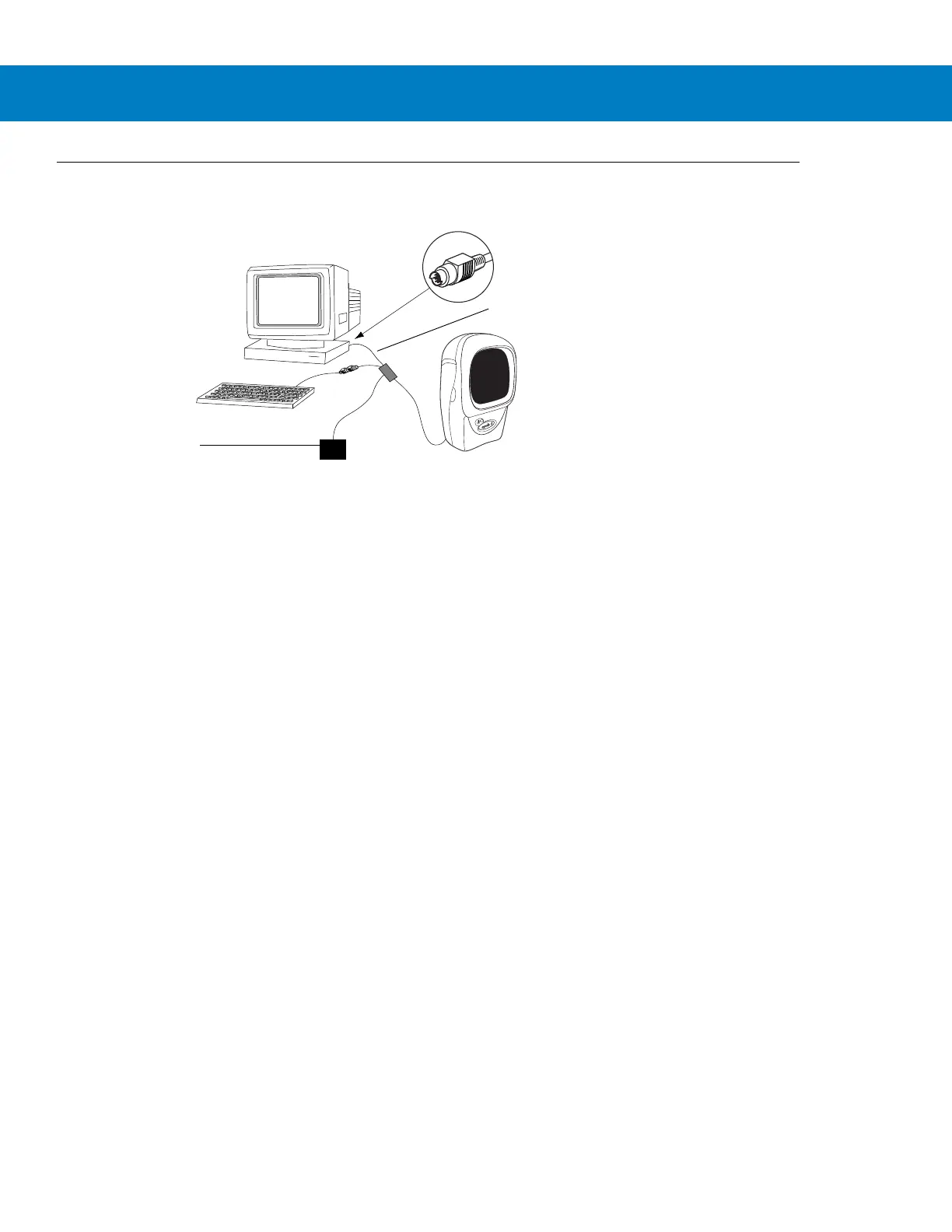
Connecting a Keyboard Wedge Interface
Figure 5-1
Keyboard Wedge Connection with Y-cable
To connect the Keyboard Wedge Y-cable:
1. Switch off the host and unplug the keyboard connector.
2. Attach the modular connector of the Y-cable to the cable interface port on the scanner. (See Installing the
Interface Cable on page 1-3.)
3. Connect the round male DIN host connector of the Y-cable to the keyboard port on the host device.
4. Connect the round female DIN keyboard connector of the Y-cable to the keyboard.
5. If needed, attach the optional power supply to the connector in the middle of the Y-cable.
6. Ensure that all connections are secure.
7. Switch on the host system.
8. Scan the appropriate bar codes in this chapter to configure the scanner.
Power supply
(if needed)
Y-cable
Male DIN Keyboard



 To Next Page