EasyManua.ls Logo

Symetrix Jupiter 4 - User Manual

Symetrix Jupiter 4
24 pages
Print Icon
To Next Page IconTo Next Page
Loading...
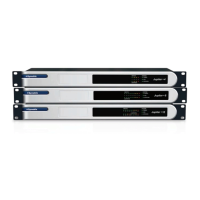
Jupiter 4, Jupiter 8, Jupiter 12
Quick Start Guide
Question and Answer IconNeed help?

Do you have a question about the Symetrix Jupiter 4 and is the answer not in the manual?

Summary

Jupiter Quick Start Guide - Initial Setup

Box Contents and System Requirements

Lists included hardware, required PC specs, and software.

Getting Help and Support

Provides contact information for customer support via phone, web, and email.

Jupiter Safety and Warnings

General Safety Instructions

Comprehensive safety instructions for operating the Jupiter device safely.

ARC Connector Warning

Caution against plugging ARC RJ-45 connectors into ETHERNET or COBRANET ports to prevent damage.

Jupiter System Overview and Applications

Jupiter Introduction and Features

Highlights Jupiter's DSP power, app-based approach, and engineering.

Jupiter Application Areas

Details applications for mixing, routing, public address, sound reinforcement, and signal processing.

Hardware and Software Design Philosophy

Discusses hardware choice simplicity and software ease of use.

Jupiter Performance Specifications

Input Specifications

Details number of inputs, connectors, nominal input level, impedance, and phantom power.

Output Specifications

Details number of outputs, connectors, nominal output level, and impedance.

System Performance Metrics

Details sampling rate, frequency response, dynamic range, THD+Noise, crosstalk, and latency.

Jupiter Mechanical and Front Panel Details

Mechanical Specifications

Details space required, electrical, ventilation, certifications, and shipping weight.

Front Panel Components Overview

Describes front panel items like inputs, outputs, power, ARC LED, and network indicators.

Jupiter Rear Panel and Port Identification

Rear Panel Connectivity Overview

Details power input, ARC, Ethernet, logic outputs, external control, and analog audio connections.

ARC Port Pinout Details

Diagram and description of the pinout for the ARC RJ45 connector.

Jupiter Hardware Connection Procedures

Power Connection Guide

Instructions for connecting the locking power plug and what the power LED indicates.

Audio Input and Output Connections

Details connecting analog mic/line inputs and analog line outputs using terminal blocks.

Ethernet Connection for Control

Instructions for connecting the Ethernet port for software control and network activity.

Jupiter Control and External Connections

ARC System Connection Guide

Connects ARC Wall Panels using CAT5 cable; includes warnings about power and connector types.

External Control Inputs Setup

Connects contact closures or potentiometers for external control and system integration.

Logic Output Connections Guide

Connects up to four logic-controlled devices like relays or LEDs for external control.

Jupiter Wiring Reference: Balanced and Unbalanced

Balanced Connection Diagrams

Illustrates balanced connections for Euroblock, Terminal Strip, TRS, and XLR connectors.

Unbalanced Connection Diagrams

Illustrates unbalanced connections for TS 1/4" and RCA connectors.

Jupiter Advanced Wiring Scenarios

Unbalanced to Balanced Signal Flow

Wiring for unbalanced sources sending signal to balanced inputs, and vice versa.

Balanced to Unbalanced Signal Flow

Wiring for balanced outputs sending signal to unbalanced inputs, and vice versa.

Jupiter Network Configuration Basics

Network Setup General Notes

Explains DHCP, IP addresses, and direct/indirect/network connection methods for Jupiter.

Connecting Jupiter to Host LAN

Details IP address, subnet mask, and default gateway requirements for LAN connection.

Jupiter Network Configuration: Windows XP

Windows XP Network Setup Guide

Step-by-step guide to configuring network adapter properties in Windows XP.

Jupiter Network Configuration: Vista and Higher

Windows Vista;Higher Network Setup Guide

Steps to configure network adapter properties in Windows Vista and higher operating systems.

Jupiter IP Address Configuration

TCP;IPv4 IP Settings Configuration

Guide to setting static or automatic IP addresses for TCP/IPv4 in Windows.

Jupiter Software Installation and Connection Wizard

Jupiter Software Installation Guide

Instructions for installing Jupiter software from CD-ROM or Symetrix website.

Launching the Jupiter Software

How to launch the Jupiter software and the initial options presented.

Jupiter Connection Wizard Setup

Guide to running the Connection Wizard to establish communication with Jupiter hardware.

Jupiter Connection Wizard Operations

Connection Wizard Steps and Device Selection

Steps for selecting network topology, NIC, and viewing device properties in the wizard.

Device Properties Configuration

How to assign a unique name and switch between DHCP or static IP addressing.

Firmware Upgrade and Device Identification

Features for identifying devices and upgrading firmware through the wizard.

Jupiter Online Connectivity and Network Search

Managing Device Lists and Network Search

Rescanning the network and using advanced search options for devices.

Going Online with Jupiter

Steps to establish an online connection with the Jupiter device for data transfer.

Jupiter Firmware Management

Jupiter Firmware Upgrade Procedure

Detailed steps for upgrading Jupiter firmware using a .cab file.

Jupiter Compliance and Specifications

Architects and Engineers Specifications

Detailed product specifications for system design and integration.

Declaration of Conformity

Statements of compliance with UL, cUL, IEC, EN, and FCC standards.

Jupiter Warranty and Service Information

Symetrix Limited Warranty Details

Details the 2-year limited warranty, exclusions, and limitations of liability.

Product Service and Repair Procedures

Instructions for obtaining service, return authorization, and in-warranty/out-of-warranty repairs.

Summary

Jupiter Quick Start Guide - Initial Setup

Box Contents and System Requirements

Lists included hardware, required PC specs, and software.

Getting Help and Support

Provides contact information for customer support via phone, web, and email.

Jupiter Safety and Warnings

General Safety Instructions

Comprehensive safety instructions for operating the Jupiter device safely.

ARC Connector Warning

Caution against plugging ARC RJ-45 connectors into ETHERNET or COBRANET ports to prevent damage.

Jupiter System Overview and Applications

Jupiter Introduction and Features

Highlights Jupiter's DSP power, app-based approach, and engineering.

Jupiter Application Areas

Details applications for mixing, routing, public address, sound reinforcement, and signal processing.

Hardware and Software Design Philosophy

Discusses hardware choice simplicity and software ease of use.

Jupiter Performance Specifications

Input Specifications

Details number of inputs, connectors, nominal input level, impedance, and phantom power.

Output Specifications

Details number of outputs, connectors, nominal output level, and impedance.

System Performance Metrics

Details sampling rate, frequency response, dynamic range, THD+Noise, crosstalk, and latency.

Jupiter Mechanical and Front Panel Details

Mechanical Specifications

Details space required, electrical, ventilation, certifications, and shipping weight.

Front Panel Components Overview

Describes front panel items like inputs, outputs, power, ARC LED, and network indicators.

Jupiter Rear Panel and Port Identification

Rear Panel Connectivity Overview

Details power input, ARC, Ethernet, logic outputs, external control, and analog audio connections.

ARC Port Pinout Details

Diagram and description of the pinout for the ARC RJ45 connector.

Jupiter Hardware Connection Procedures

Power Connection Guide

Instructions for connecting the locking power plug and what the power LED indicates.

Audio Input and Output Connections

Details connecting analog mic/line inputs and analog line outputs using terminal blocks.

Ethernet Connection for Control

Instructions for connecting the Ethernet port for software control and network activity.

Jupiter Control and External Connections

ARC System Connection Guide

Connects ARC Wall Panels using CAT5 cable; includes warnings about power and connector types.

External Control Inputs Setup

Connects contact closures or potentiometers for external control and system integration.

Logic Output Connections Guide

Connects up to four logic-controlled devices like relays or LEDs for external control.

Jupiter Wiring Reference: Balanced and Unbalanced

Balanced Connection Diagrams

Illustrates balanced connections for Euroblock, Terminal Strip, TRS, and XLR connectors.

Unbalanced Connection Diagrams

Illustrates unbalanced connections for TS 1/4" and RCA connectors.

Jupiter Advanced Wiring Scenarios

Unbalanced to Balanced Signal Flow

Wiring for unbalanced sources sending signal to balanced inputs, and vice versa.

Balanced to Unbalanced Signal Flow

Wiring for balanced outputs sending signal to unbalanced inputs, and vice versa.

Jupiter Network Configuration Basics

Network Setup General Notes

Explains DHCP, IP addresses, and direct/indirect/network connection methods for Jupiter.

Connecting Jupiter to Host LAN

Details IP address, subnet mask, and default gateway requirements for LAN connection.

Jupiter Network Configuration: Windows XP

Windows XP Network Setup Guide

Step-by-step guide to configuring network adapter properties in Windows XP.

Jupiter Network Configuration: Vista and Higher

Windows Vista;Higher Network Setup Guide

Steps to configure network adapter properties in Windows Vista and higher operating systems.

Jupiter IP Address Configuration

TCP;IPv4 IP Settings Configuration

Guide to setting static or automatic IP addresses for TCP/IPv4 in Windows.

Jupiter Software Installation and Connection Wizard

Jupiter Software Installation Guide

Instructions for installing Jupiter software from CD-ROM or Symetrix website.

Launching the Jupiter Software

How to launch the Jupiter software and the initial options presented.

Jupiter Connection Wizard Setup

Guide to running the Connection Wizard to establish communication with Jupiter hardware.

Jupiter Connection Wizard Operations

Connection Wizard Steps and Device Selection

Steps for selecting network topology, NIC, and viewing device properties in the wizard.

Device Properties Configuration

How to assign a unique name and switch between DHCP or static IP addressing.

Firmware Upgrade and Device Identification

Features for identifying devices and upgrading firmware through the wizard.

Jupiter Online Connectivity and Network Search

Managing Device Lists and Network Search

Rescanning the network and using advanced search options for devices.

Going Online with Jupiter

Steps to establish an online connection with the Jupiter device for data transfer.

Jupiter Firmware Management

Jupiter Firmware Upgrade Procedure

Detailed steps for upgrading Jupiter firmware using a .cab file.

Jupiter Compliance and Specifications

Architects and Engineers Specifications

Detailed product specifications for system design and integration.

Declaration of Conformity

Statements of compliance with UL, cUL, IEC, EN, and FCC standards.

Jupiter Warranty and Service Information

Symetrix Limited Warranty Details

Details the 2-year limited warranty, exclusions, and limitations of liability.

Product Service and Repair Procedures

Instructions for obtaining service, return authorization, and in-warranty/out-of-warranty repairs.

Symetrix Jupiter 4 Specifications

General IconGeneral
BrandSymetrix
ModelJupiter 4
CategorySignal Processors
LanguageEnglish

Related product manuals