EasyManua.ls Logo

Synco G2 (A1) - Page 2

Synco G2 (A1)
11 pages
Print Icon
To Next Page IconTo Next Page
To Previous Page IconTo Previous Page
Loading...
WARRANTY CERTIFICATE
USER
INFORMATION
SALES
INFORMATION
REPAIR
RECORD
RESULT

󾗜












Caring For Your SYNCO Product










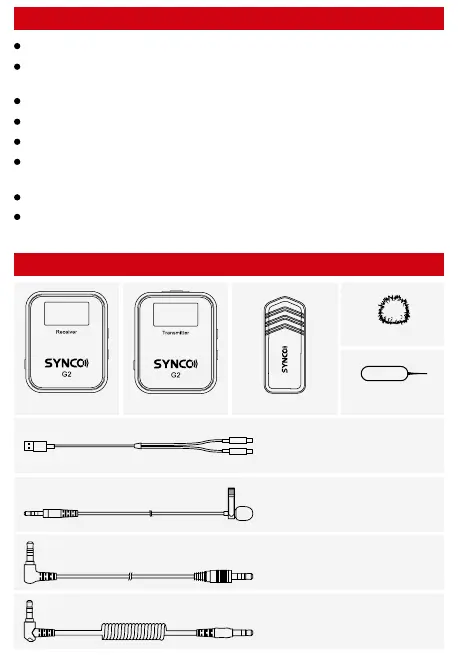
Package List
  



󽗈


Product Instruction
TX Transmitter
Display Screen
RX Receiver
External Mic Input
USB-C Port
Power(MUTE)
Reset(Help with Eject Pin)
Low Cut
USB-C Port
Power (MUTE)
Reset(Help with Eject Pin)
Gain Control
Pairing
Pairing
Built-in Mic
Display Screen
Pocket Clip
3.5mm Audio Output
3.5mm Monitoring Jack
Display Screen
Pocket Clip



TX Transmitter
RX Receiver
















Operations
TX
RX
1.Power/ Mute
1.Power/ Mute
3.External Mic Input
4.Mic Windshield & Device Installation
5.Reset
6.Low Cut
7.Pairing
2.Charging
󽗈


󽗈



󽗈




Note: 

󾗻󾘷󾘩󾘴󾘨





󽗈
 
2.Charging
󾗻󾘷󾘩󾘴󾘨



3.Reset
4.Gain Control
5.Pairing
6.Audio Monitoring & Output Connection








󽗉








 
 

Related product manuals