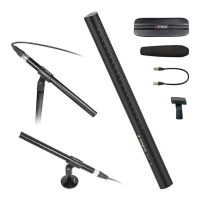
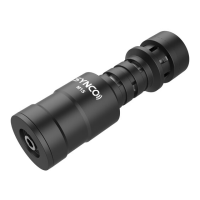
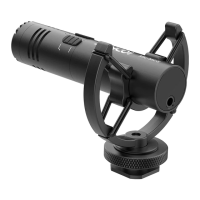
Need help?
Do you have a question about the Synco Mic-M1 and is the answer not in the manual?
Highlights the key features and benefits of the SYNCO Mic-M1 microphone.
Provides essential instructions for maintaining and cleaning the microphone to prevent damage.
Explains how to install and use the specialized windshield for noise reduction.
Details connecting and using the microphone with cameras and smartphones.
Lists technical details, polar pattern, frequency response, and dimensions.
Details the duration and start date of the product's limited warranty service.
Lists conditions that void the warranty or limit its coverage for the product.
Explains how to request warranty service and what documentation is required.
The SYNCO Mic-M1 is a professional and compact on-camera microphone designed to enhance audio recording for a variety of devices. Its primary function is to capture clear audio while minimizing unwanted environmental noise, making it suitable for use with cameras, camcorders, audio recorders, smartphones, and other audio/video recording equipment.
One of the key usage features of the Mic-M1 is its cardioid directivity. This design focuses on picking up sound from the front, effectively minimizing peripheral environmental noises that can degrade audio quality. This is particularly beneficial in situations where background sounds might otherwise interfere with the desired audio source. The microphone utilizes an electret condenser, which is known for its ability to catch more audio details, resulting in richer and more nuanced sound capture.
To further improve audio quality and ease of use, the Mic-M1 comes equipped with several accessories. A specialized windshield is included to minimize noise caused by wind or friction during recording, as well as to reduce vocal plosives. This is crucial for outdoor shooting or in environments where air movement can create disruptive sounds. The installation of the windshield is straightforward, as illustrated in the manual, ensuring users can quickly set up their microphone for optimal performance.
Another significant usage feature is the inclusion of a shock mount. This mount is designed to mitigate unwanted vibrations that can be transmitted through the camera or recording device, preventing them from being picked up by the microphone and causing undesirable rumble or handling noise. The shock mount can be attached to a device via a cold shoe mount or a 1/4” screw hole on its bottom, offering versatile mounting options.
The SYNCO Mic-M1 is designed for broad compatibility and ease of connection. It comes with both a 3.5mm TRS camera cable and a 3.5mm TRRS phone cable. For camera series devices (cameras, camcorders, audio recorders, etc.), users attach the shock mount to their device, then mount the microphone onto the shock mount, and connect the microphone to the device using the 3.5mm camera cable. After turning on the device, recording can commence. For phone series devices (smartphones, tablets, Mac), the process involves connecting the microphone with the 3.5mm phone cable and then opening the audio or video recording application on the device to begin recording. This plug-and-play functionality means there is no battery required for the microphone to operate, simplifying its use and reducing the need for additional power sources.
In terms of maintenance, the SYNCO Mic-M1 is built to be durable, but proper care is essential to ensure its longevity and continued performance. Users are advised to keep the product in a dry, clean, and dust-free environment to prevent damage from moisture or particulate matter. It is also important to keep corrosive chemicals, liquids, and heat sources away from the product to prevent mechanical damage. For cleaning, only a soft and dry cloth should be used.
The manual explicitly states several actions to avoid to prevent malfunction and voiding the warranty. Dropping the product or subjecting it to external force can cause malfunctions, so careful handling is recommended. Users should not attempt to disassemble the product, as doing so will void the warranty. If any malfunctions occur, it is crucial to have the product checked or repaired by authorized technicians. Failure to follow these instructions may result in mechanical damage. The warranty does not cover human errors, emphasizing the importance of adhering to the care guidelines.
Overall, the SYNCO Mic-M1 is a user-friendly, high-performance microphone that offers significant audio improvements for various recording scenarios, backed by clear instructions for both operation and maintenance to ensure a reliable and long-lasting user experience.
 General
| Polar Pattern | Cardioid |
|---|---|
| Frequency Response | 20 Hz - 20 kHz |
| Connector | 3.5mm TRS |
| Output Connector | 3.5mm TRS |
| Output Impedance | 2.2 kΩ |
| Max SPL | 120 dB |
| Type | Condenser |
| Power Source | Plug-in power |


 To Next Page