EasyManua.ls Logo

Synco Lav-S6E - User Manual

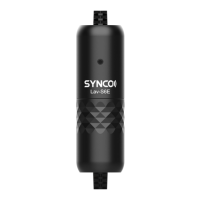
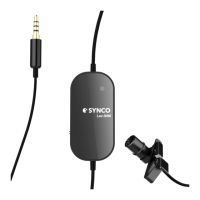
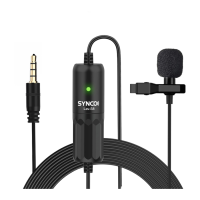
Synco Lav-S6E
2 pages
Print Icon
To Next Page IconTo Next Page
Loading...
Thank you for choosing SYNCO product.
Please read this manual carefully before use and follow all instructions mentioned
herein.
Microphone Lav-S6E
User Manual
Caring For Your SYNCO Product
Please keep the product in a dry, clean, dust-free environment.
Keep corrosive chemicals, liquids and heat source away from the product to
prevent mechanics damage.
Use only a soft and dry cloth for cleaning the product.
Malfunction may be caused by dropping, impact of external force.
Do not attempt to disassemble the product. Doing so voids warranty.
Please have the product checked or repaired by authorized technicians if any
malfunctions happened.
Failure to follow all the instructions may result in mechanics damage.
Warranty does not apply to human errors.
1. The Use of Wind Mu󽗈 or Windshield
Operations
Please install the wind mu󽗈 or windshield to the
microphone for wind noise suppression.
2. The Use of Microphone
1). Attach the mic to clothing via the tie clip.
2). Plug it into your devices’ microphone jack.
Smartphone, Camera, Laptop
iPhone 7 and subsequent Apple devices
Some of Android devices
3.5mm Connector
Apple’s Lighting Adapter (excluded)
Type-C Adapter (excluded)
3. Battery Replacement
SYNCO Lav-S6E uses a replaceable CR1220 battery. Please install or replace the
battery as shown below.
3). Indicator
4). Run the audio/video recording application in your device. (Note: Android
devices need the third-party applications to operate the microphone.)
Battery Power
Working Status
On
High
Normal
O󽗈
Low
Abnormal
Speci󽗉cations
1. Polar Pattern: Omni-directional
Question and Answer IconNeed help?

Do you have a question about the Synco Lav-S6E and is the answer not in the manual?

Summary

Product Care and Maintenance

Product Operations

Using Wind Muff or Windshield

Install the wind muff or windshield on the microphone for effective wind noise suppression during recording.

Microphone Connection and Use

Attach the microphone to clothing using the tie clip and plug it into your device's microphone jack.

Indicator and Battery Information

Indicator Status

Describes the indicator lights for battery power and working status.

Battery Replacement

Details the use and replacement of the CR1220 battery for the Lav-S6E microphone.

Technical Specifications

Polar Pattern

Details the microphone's polar pattern as omni-directional, showing sensitivity across all angles.

Performance Parameters

Warranty Information

Warranty Period

Details the warranty period, including 30-day replacement and 12-month limited warranty service.

Warranty Exclusions and Limitations

Lists exclusions and limitations, such as inappropriate use, artificial damage, modifications, and force majeure.

Warranty Claim Procedure

Synco Lav-S6E Specifications

General IconGeneral
Polar PatternOmnidirectional
Connector3.5mm TRRS
Cable Length6m
Sensitivity-30dB±3dB (0dB=1V/Pa, at 1KHz)
Impedance2.2kΩ
Output Impedance≤2.2kΩ
Signal-to-Noise Ratio75 dB SPL

Related product manuals