3 www.syncoaudio.com www.syncoaudio.com 4
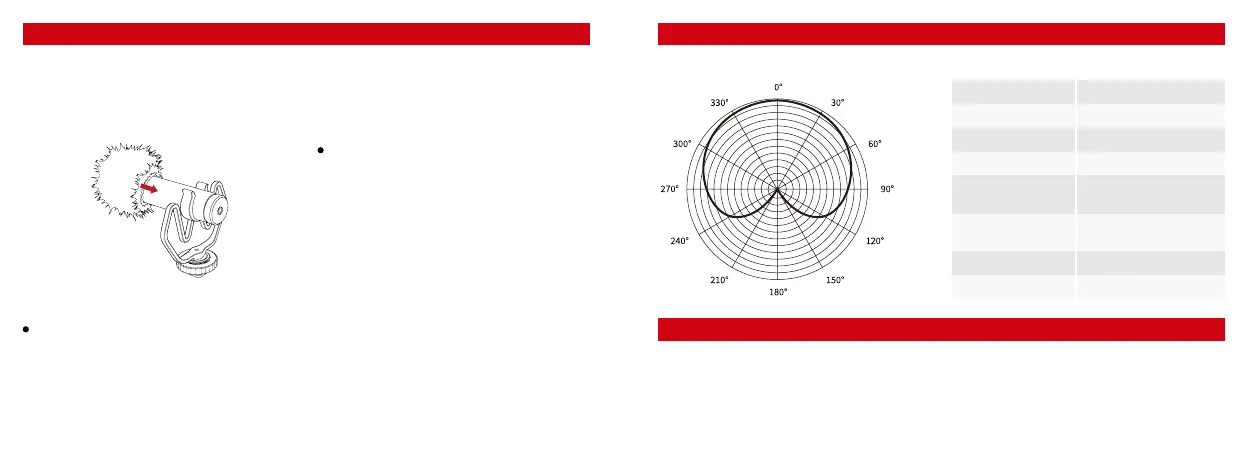
1. The Use of Windshield
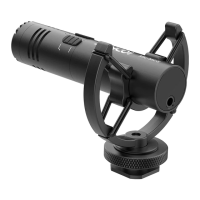
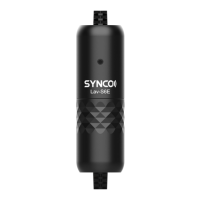
SYNCO Mic-M1 comes with the specialized
windshield to eliminate the noise caused by
wind or friction while recording. Please install the
windshield to the microphone as shown below.
2. The Use of Microphone
1. Polar Pattern: Cardioid 2. Performance Parameter
Operations Specications
For Camera Series (camera, camcorder, audio
recorder, and other audio/video recording
devices)
① Attach the shock mount to your device via
the cold shoe mount or 1/4” screw hole on the
bottom of the shock mount.
② Mount the microphone onto the shock
mount, and connect the microphone with your
device via the 3.5mm camera cable.
③ Turn on your device and start recording.
For Phone Series (smartphone, tablet, Mac)
① Connect the microphone with your device via
the 3.5mm phone cable.
② Open the audio or video recording
application on your device and begin recording.
Transducer
Polar Pattern
Frequency Response
Signal/Noise
Sensitivity
Connector
Dimensions
Weight
Electret Condenser
Cardioid
35Hz~18KHz
76dB
-42dB +/-2dB / 0dB=1V/Pa,
1kHz
3.5mm TRS and TRRS
connector
Φ22*81mm
26g
Warranty Period
Thank you for purchasing SYNCO products.
1. Customers are entitled to free replacement or repair service in case of quality defect(s) found in the
product under normal use within 30 days upon receipt of the product.
WARRANTY



 To Next Page