15
Chapter 2: Hardware Setup
3
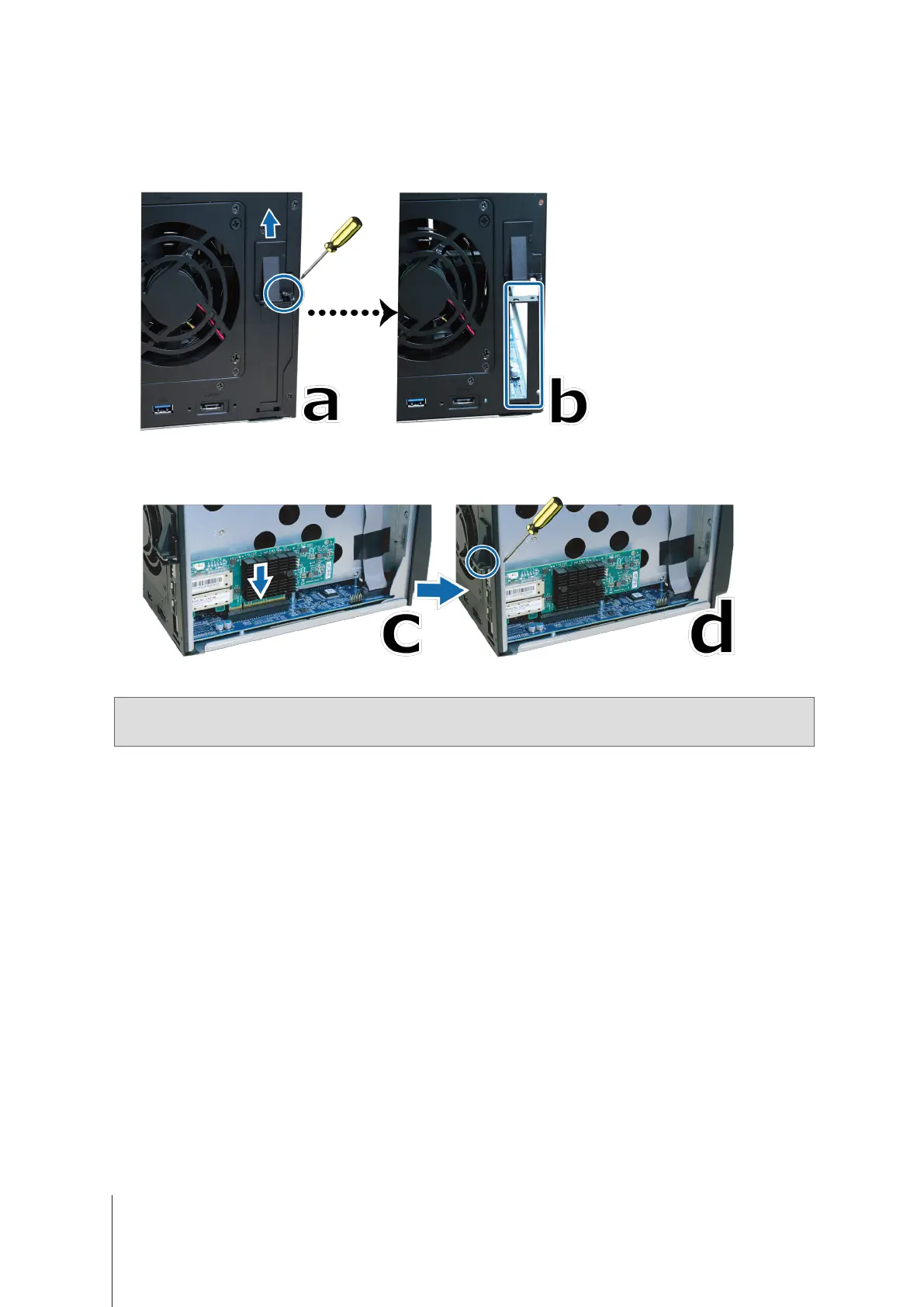
Install the network interface card:
a
Remove the screw that secures the adapter slot’s cover.
b
Remove the adapter slot’s cover.
c
Align the card’s connectors with the adapter slot, and insert the card into the slot.
d
Put back and fasten the screw that you removed in step 3-a so as to secure the newly inserted card.
4
Put back the top cover that you removed in step 2 and tighten the srcews.
Note:
Make sure the connectors are fully inserted. Otherwise, the network interface card might not be able to function
properly.









 To Next Page