16
Chapter 2: Hardware Setup
Replace System Fan
Your DiskStation will beep if either of the system fans is not working. Follow the steps below to replace the
malfunctioning fan with a good one.
To replace the system fan:
1
Press and hold the power button until you hear a beep sound to shut down your DiskStation. Disconnect all
cables from your DiskStation to prevent any possible damage.
2
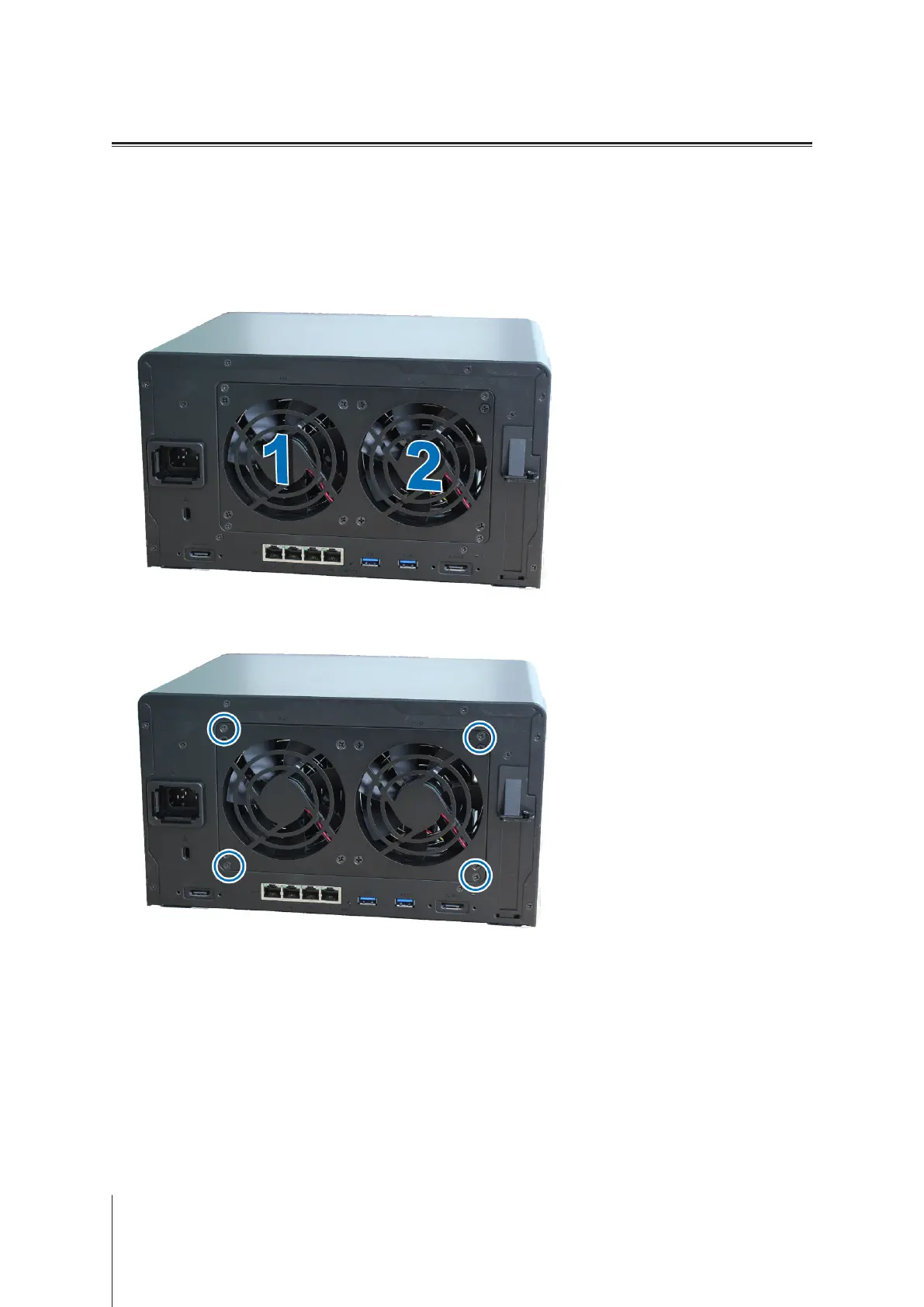
Fans are numbered as follows:
3
Remove the 4 screws that secure the fan panel.








 To Next Page