
 Need help?
Do you have a question about the Synology DiskStation DS3018xs and is the answer not in the manual?
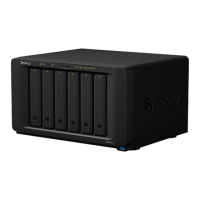
The Synology DiskStation DS3018xs is a high-performance network-attached storage (NAS) device designed for robust data management and storage solutions. It serves as a central hub for storing, sharing, and protecting data, catering to the needs of small to medium-sized businesses and demanding home users. The device's primary function is to provide a reliable and scalable storage platform, allowing users to install multiple hard disk drives (HDDs) or solid-state drives (SSDs) to create various RAID configurations for data redundancy and performance optimization.
At its core, the DS3018xs functions as a powerful server for file storage, sharing, and synchronization. It supports a wide array of file systems, including Btrfs and EXT4 for internal drives, and Btrfs, EXT4, EXT3, FAT, NTFS, HFS+, and exFAT for external drives, offering flexibility in how data is managed and accessed. The device is equipped with multiple LAN ports, enabling network connectivity and supporting various network configurations, including link aggregation for increased throughput and failover.
Beyond basic storage, the DS3018xs runs Synology's DiskStation Manager (DSM), a web-based operating system that provides a rich suite of applications and services. DSM allows users to turn the DiskStation into a versatile server for various purposes. For instance, it can act as a media server for streaming content, a backup target for computers and other devices, a surveillance station for IP cameras, a virtual machine host, or a private cloud for file synchronization and sharing. The device's ability to host these diverse applications makes it a comprehensive solution for data management and IT infrastructure.
The DS3018xs also features PCI Express expansion slots, which significantly enhance its functionality. These slots allow for the installation of optional add-on cards, such as 10GbE or Gigabit network interface cards (NICs) for faster network speeds, or M.2 SSD adapter cards (like the M2D17) to add SSD cache drives. SSD caching can dramatically improve the performance of frequently accessed data, making the DiskStation more responsive for demanding applications. This expandability ensures that the device can adapt to evolving performance and connectivity requirements.
The DS3018xs is designed for user-friendly operation, starting with its hardware setup. Drives are installed into hot-swappable drive trays, which are easily accessed from the front of the unit. The process involves pressing the lower part of the tray to pop out the handle, pulling the tray out, loading the drive (either 3.5" or 2.5" SATA drives), and then reinserting the tray. For 3.5" drives, fastening panels secure the drive, while 2.5" drives require screws. Drive trays can be locked with a key for added security. The numbering of drive bays simplifies identification and management of individual drives.
Powering on the DiskStation is straightforward: connect it to a network via LAN cables and then to a power outlet, followed by pressing the power button. Once powered on, the device becomes detectable on the network, and the initial setup of DSM can be performed using the Web Assistant. This web-based tool guides users through downloading and installing the latest version of DSM, making the initial configuration accessible even for those with limited technical expertise. The Web Assistant automatically searches for the DiskStation within the local network and indicates its "Not installed" status, prompting the user to connect and begin the setup.
The device's front panel includes several LED indicators that provide immediate visual feedback on its status. The Status Indicator shows the system's overall health (normal, degraded, crashed, or not created), while the Alert Indicator signals warnings related to fans or temperature. LAN Indicators show network connection status (connected, active, or no network), and Drive Status Indicators on each tray display the status of individual drives (ready, idle, accessing, error, or disabled). These indicators are crucial for quick troubleshooting and monitoring the device's operational state without needing to log into DSM.
For enhanced performance, the DS3018xs supports RAM module upgrades. Users can add a RAM module by shutting down the DiskStation, disconnecting cables, removing the bottom lid, and inserting the new module into an available slot. The process involves aligning the module's notch, tilting it into the slot, and pushing down until it clicks. After reassembling, DSM can be checked to confirm the new memory capacity is recognized. This upgrade path allows users to boost the device's multitasking capabilities and overall responsiveness.
The PCI Express expansion slots offer further customization. Installing an M2D17 adapter card or a network interface card involves shutting down the device, removing the top cover, securing the card in the slot, and reassembling. These upgrades are essential for users who require faster data access through SSD caching or higher network bandwidth for demanding applications and large file transfers. The modular design ensures that the DS3018xs can be tailored to specific performance needs.
The DS3018xs incorporates several features to facilitate maintenance and ensure continuous operation. The system fans, critical for cooling, are designed to be replaceable. If a fan malfunctions, the DiskStation will emit a beeping sound, and the Alert Indicator will signal a warning. The replacement process involves shutting down the device, removing the top cover, unscrewing the fan panel, disconnecting the fan cables, and then replacing the faulty fan with a new one. This allows users to quickly address cooling issues, preventing potential hardware damage and maintaining optimal operating temperatures.
The DSM operating system itself provides extensive tools for system monitoring and maintenance. Users can log in as an administrator to access various control panel options, including "Info Center" to check system information like total physical memory. DSM also includes diagnostic tools, such as S.M.A.R.T. tests for drives, to assess their health status. If a drive error occurs, the Drive Status Indicator will signal it, prompting users to run diagnostics or consider replacing the drive. This proactive monitoring helps prevent data loss and ensures the longevity of the storage system.
The reset button on the rear panel offers two levels of reset functionality. A short press and hold (until a beep) restores the default IP address, DNS server, and password for the admin account, which can be useful if network settings are misconfigured or the admin password is forgotten. A longer press and hold (until three beeps) returns the DiskStation to a "Not Installed" status, allowing DSM to be reinstalled. This feature is invaluable for recovering from severe software issues or preparing the device for a fresh installation.
Synology also provides ongoing support and resources for the DS3018xs. The official Synology website offers comprehensive information, including compatible drive models, supported RAM modules, and network interface cards. This ensures that users can find the correct components for upgrades and replacements. The availability of technical support and online documentation further aids in troubleshooting and maintaining the device, making it a reliable choice for long-term data storage needs. The design emphasis on user-replaceable components and clear diagnostic indicators simplifies maintenance tasks, reducing downtime and ensuring data integrity.
 General
| Model | DS3018xs |
|---|---|
| CPU Architecture | 64-bit |
| Drive Bays | 6 |
| Maximum Internal Raw Capacity | 60 TB (10 TB drive x 6) |
| Hot Swappable Drive | Yes |
| Operating System | DiskStation Manager (DSM) |
| Weight | 5.2 kg |
| Hardware Encryption Engine | Yes |
| Memory | 8 GB |
| Compatible Drive Type | 3.5" SATA HDD, 2.5" SATA HDD, 2.5" SATA SSD |
| Maximum Raw Capacity with Expansion Units | 180TB (with 2 x RX1217 expansion units) |
| External Ports | USB 3.0 |
| LAN | Yes |
| RJ-45 1GbE LAN Port | 4 |
| RAID Support | Synology Hybrid RAID, Basic, JBOD, RAID 0, RAID 1, RAID 5, RAID 6, RAID 10 |
| Dimensions | 166mm x 282mm x 243mm |








 To Next Page