22
Chapter 3: System Maintenance
5
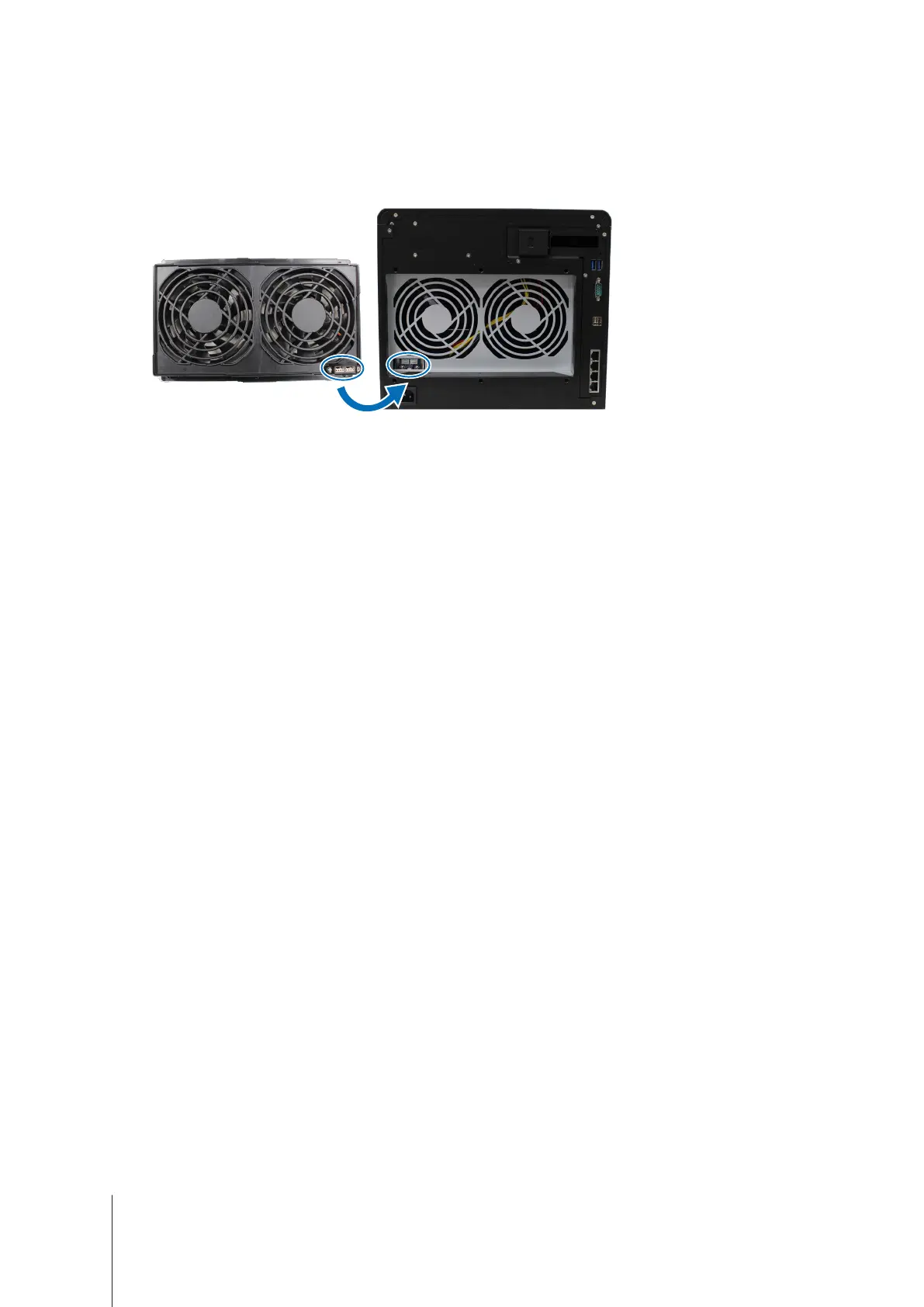
Install a new fan module:
a
Install the new module with the power connector at the bottom, so that it can be properly put onto the
chassis.
b
Make sure that all 6 push pins on the new module are pulled outwards before the module is placed into your
Synology NAS, and then press the push pins back into place to secure the fan module.








 To Next Page