13
Chapter 2: Hardware Setup
4
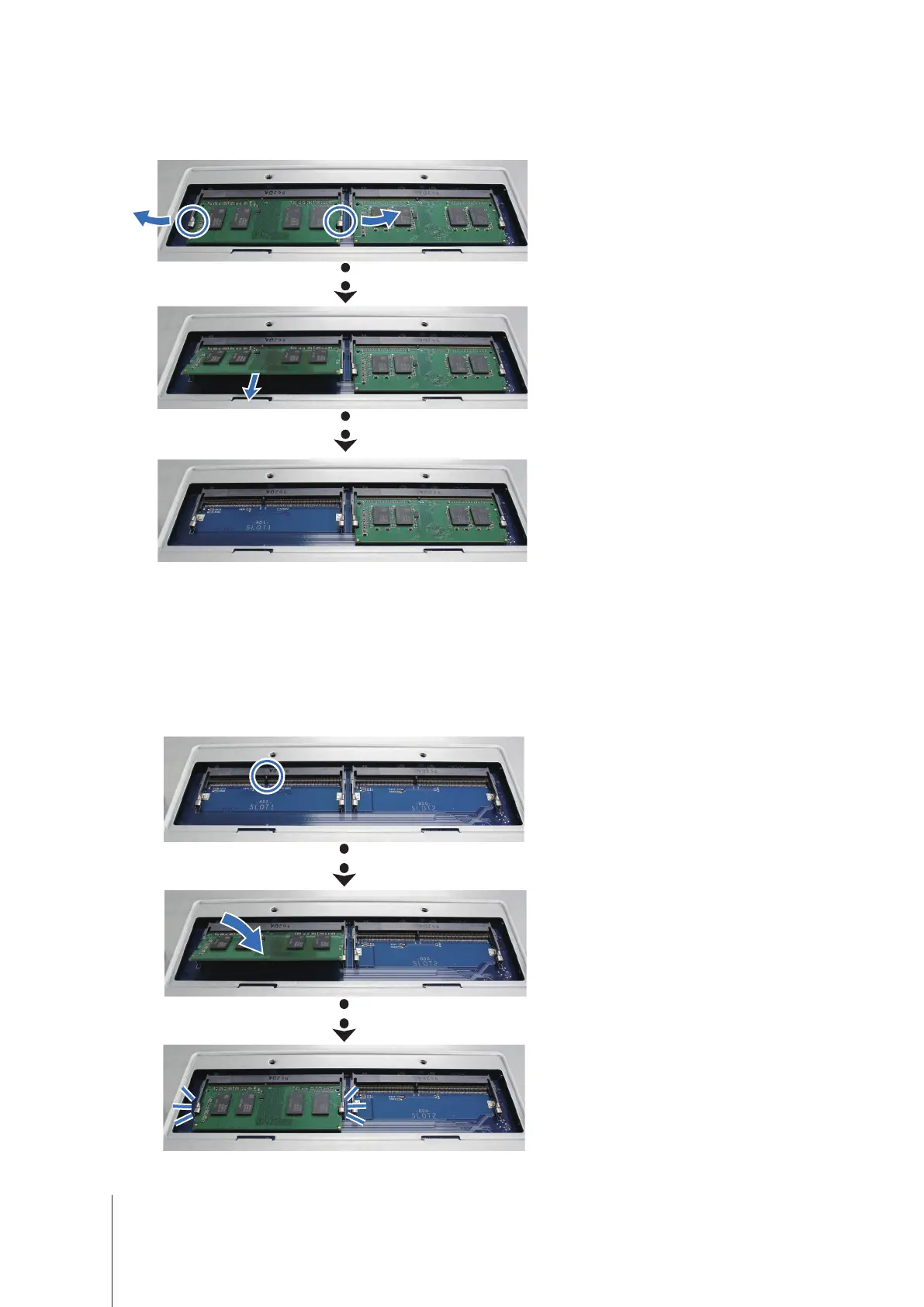
Push the levers on both sides of the memory module outward. The memory module will be released from its
slot.
5
Hold the memory module by its edges and remove it from the slot.
6
Follow above steps to remove the other memory module.
To install the memory module
1
Start from the slot 1
,
insert the new memory module into the empty slot:
a
Align the small gap between the gold connectors of the memory module with the notch on the empty slot.
Insert the memory module into the slot. Make sure that the module is properly inserted.
b
Gently push down the memory module until you hear a click.













 To Next Page