Tools and Parts for Component Installation
Please prepare the following tools and parts before setting up your Network Video Recorder:
• A screwdriver (only for 2.5" drives)
• At least one 3.5" or 2.5" SATA drive (please visit
www.synology.com/compatibility
for compatible drive
models)
Warning:
If you install a drive that contains data, the system will format the drive and erase all existing data.
Please back up any important data before installation.
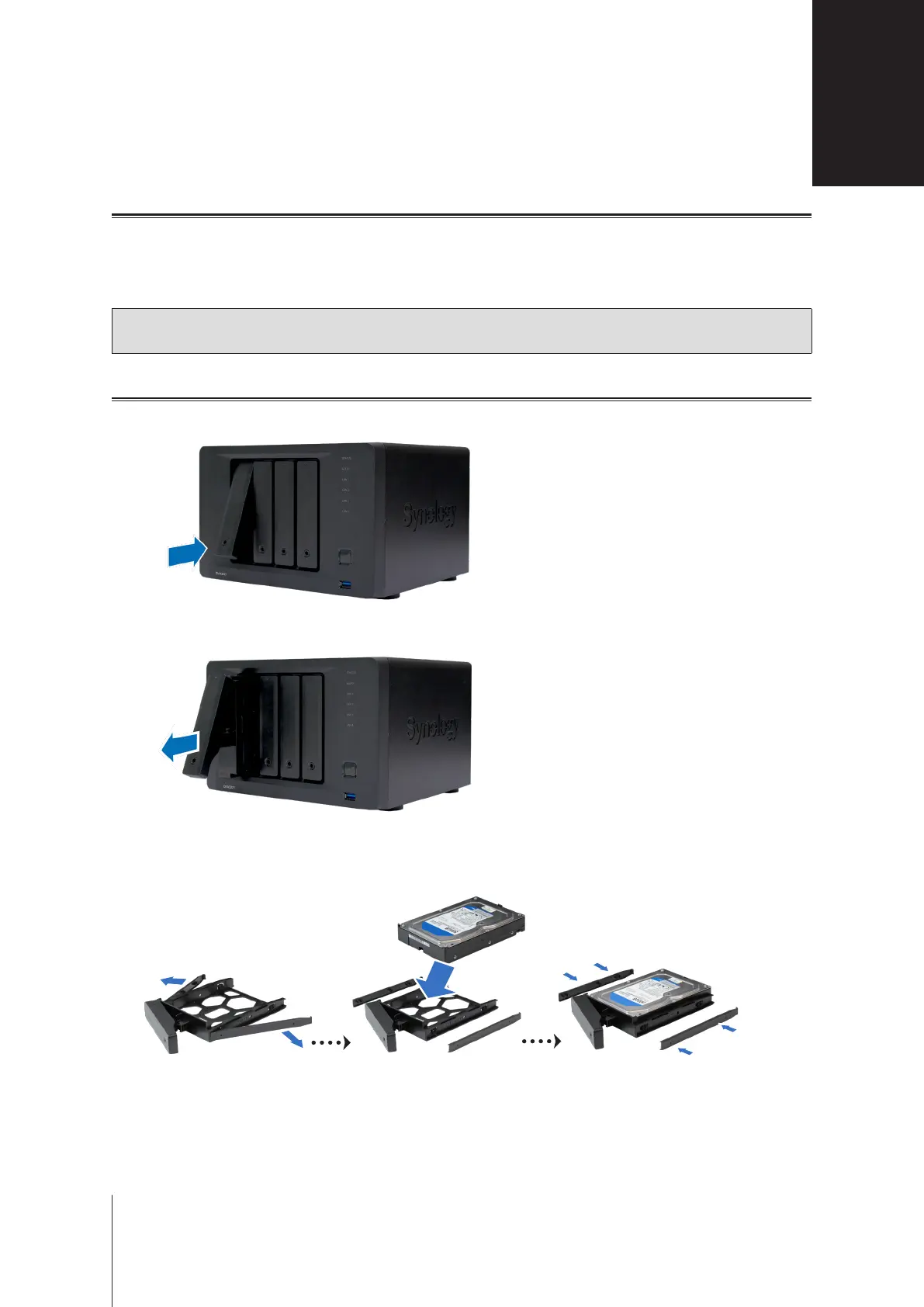
Install Drives
1
Press the lower part of the hard drive tray to unlock the handle.
2
Pull out the hard drive tray handle as shown below to remove the hard drive tray.
3
Load drives in the drive trays.
•
For 3.5" drives:
Remove the fastening panels from the sides of the drive tray. Place the drive in the drive
tray. Then insert the fastening panels to secure the drive in place.
Hardware Setup
9
2
Chapter













 To Next Page