12
Chapter 2: Hardware Setup
Expand the Memory of the Network Video Recorder
Genuine Synology memory modules must be installed to ensure system compatibility and reliability. Failure
to follow the congurations below for the suggested installation sequence of dierent memory capacities may
prevent the system from booting successfully, and could impair system performance and stability.
SLOT 1 SLOT 2
SLOT 1 SLOT 2 Total Memory
4 GB 4 GB 8 GB
16 GB - 16 GB
16 GB 16 GB 32 GB
Note:
It is required to use identical memory modules of the same capacity and frequency.
To expand the memory capacities of your Network Video Recorder, you must remove the two pre-installed 4 GB
memory modules rst, then install one or two 16 GB memory modules. Follow the steps below to remove, install,
and check the memory modules on your Network Video Recorder.
To remove the memory module
1
Shut down your Network Video Recorder. Disconnect all cables from your Network Video Recorder to prevent
possible damage.
2
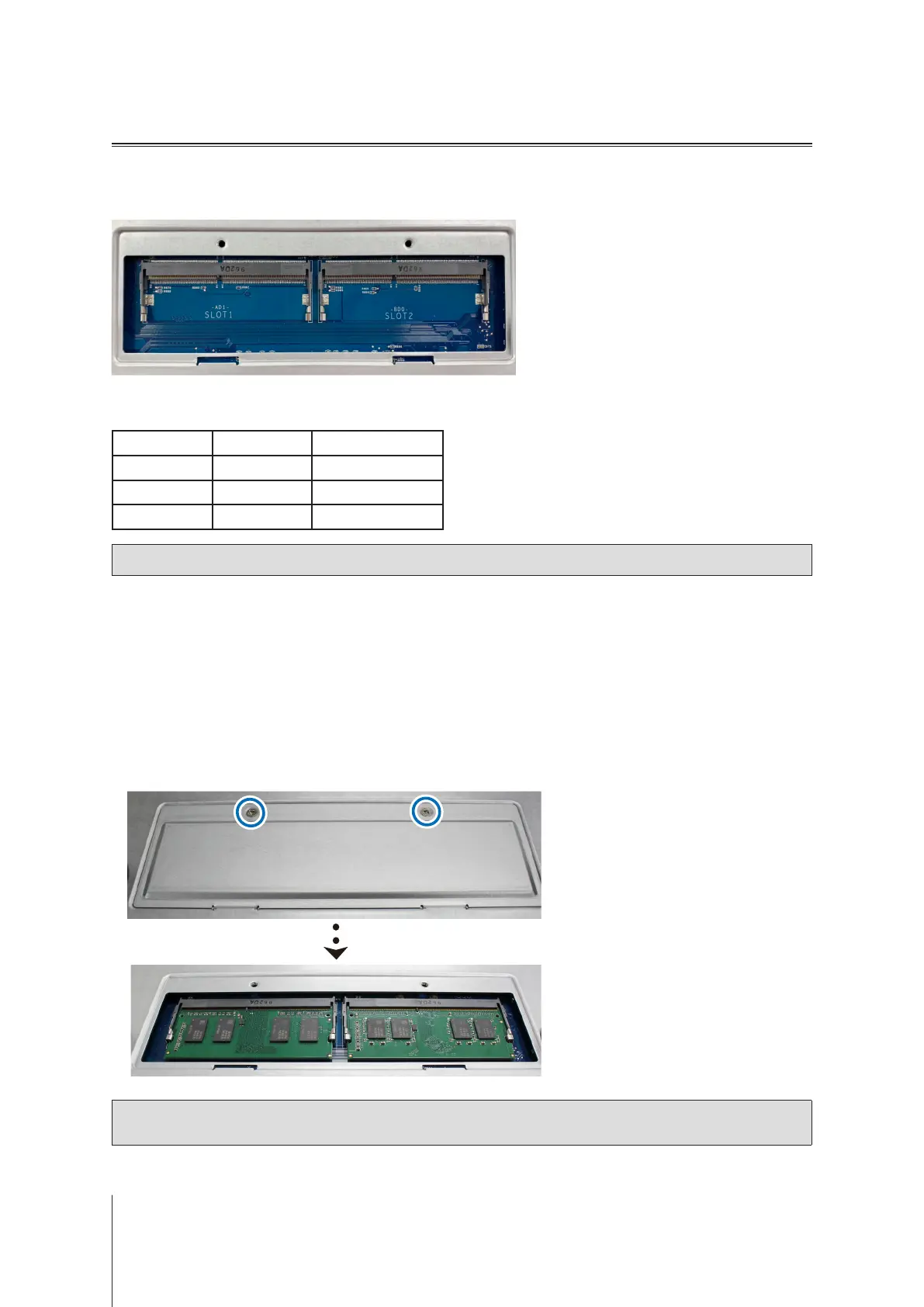
The memory modules are located at the bottom of your Network Video Recorder.
3
Remove the two screws on the cover that protecting the modules. Lift up the cover and put it aside. You will
see two pre-installed 4 GB memory modules.
Note:
When you remove the cover, sensitive internal components are exposed. Avoid touching anything other
than the memory assembly when removing or adding memory.













 To Next Page