16
Chapter 3: System Maintenance
4
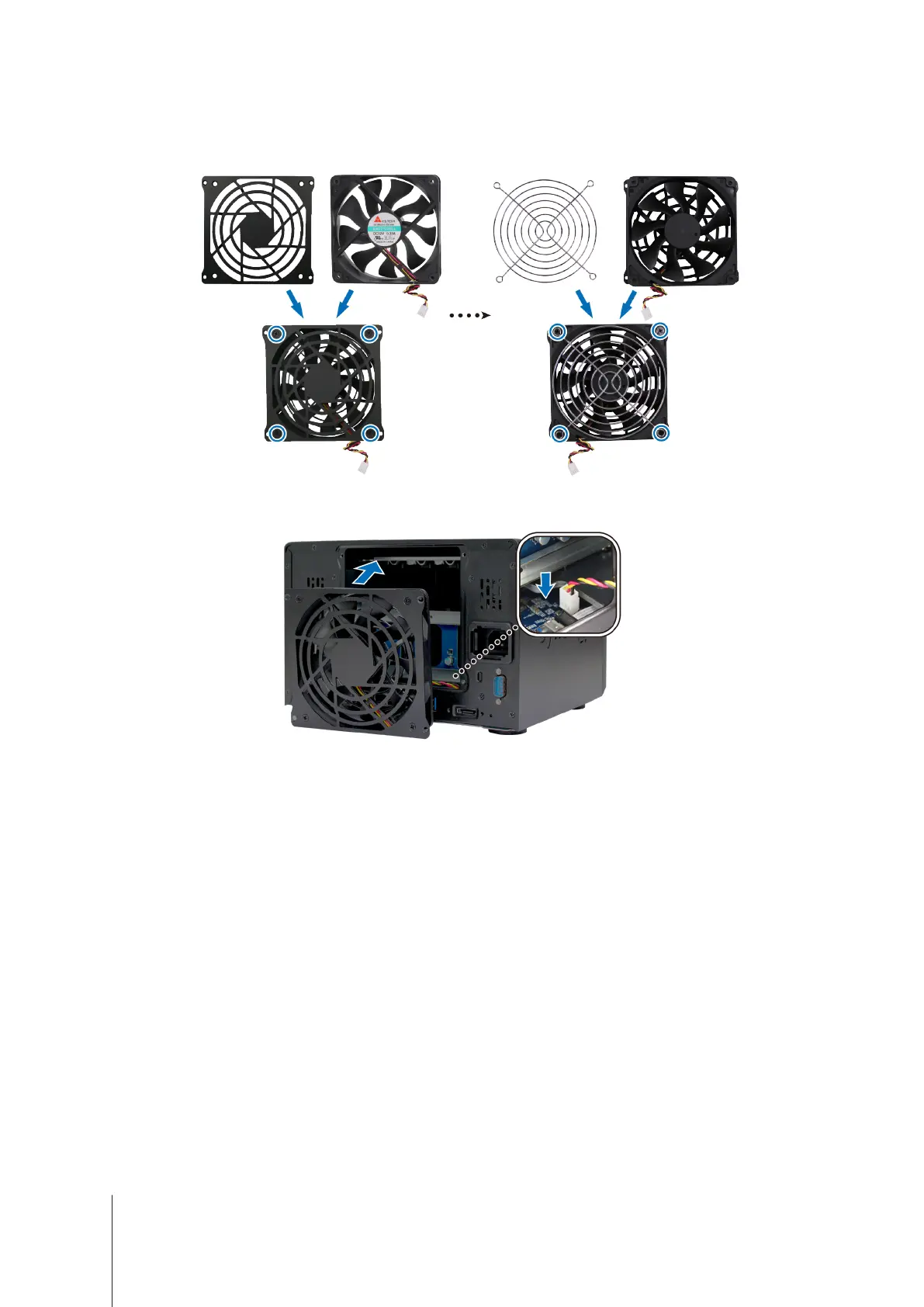
Install a new fan:
a
Attach the fan case (with the fan cable within the fan pointing at the bottom-right corner) and fan guard to the
new fan, then tighten the screws to secure the fan case and fan guard.
b
Plug the fan cable into your Network Video Recorder as shown below.
5
Replace and tighten the four screws removed in step 2.













 To Next Page