
 Need help?
Do you have a question about the Synology VS80 and is the answer not in the manual?
Details items included in the VS80 package for verification.
Lists the technical specifications of the VS80 hardware, including ports and dimensions.
Outlines the software capabilities, compression formats, and camera resolution limits.
Specifies the necessary conditions and system compatibility for VS80 operation.
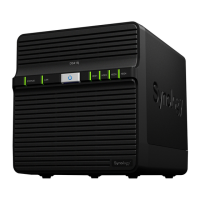
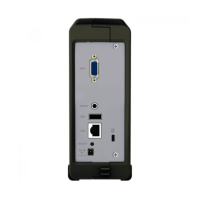
Describes the physical layout and connection ports on the front and rear of the VS80.
Explains the meaning of different LED behaviors for system status monitoring.
Provides essential guidelines for safe and proper use of the Synology VS80.
Step-by-step instructions for connecting the VS80 hardware to power, network, and display.
Guide to configuring the Synology DiskStation to recognize and utilize the VS80.
Instructions on how to start and view live camera feeds using the VS80.
Describes how to capture still images from camera feeds and save them to USB storage.
Explains how to use the VS80 to control Pan, Tilt, and Zoom functions of compatible cameras.
Details how to review recorded video events using the VS80's playback interface.
Information on how to change the video output resolution for the VS80.
Steps for updating the VS80 firmware using a USB storage device.
How to access and view model name, firmware version, and pairing status.
Addresses frequently asked questions and provides solutions for common VS80 problems.
Outlines terms for dispute resolution, warranty, and document revision policies.







 To Next Page
 General