Chapter 2: Using VS80
11
6
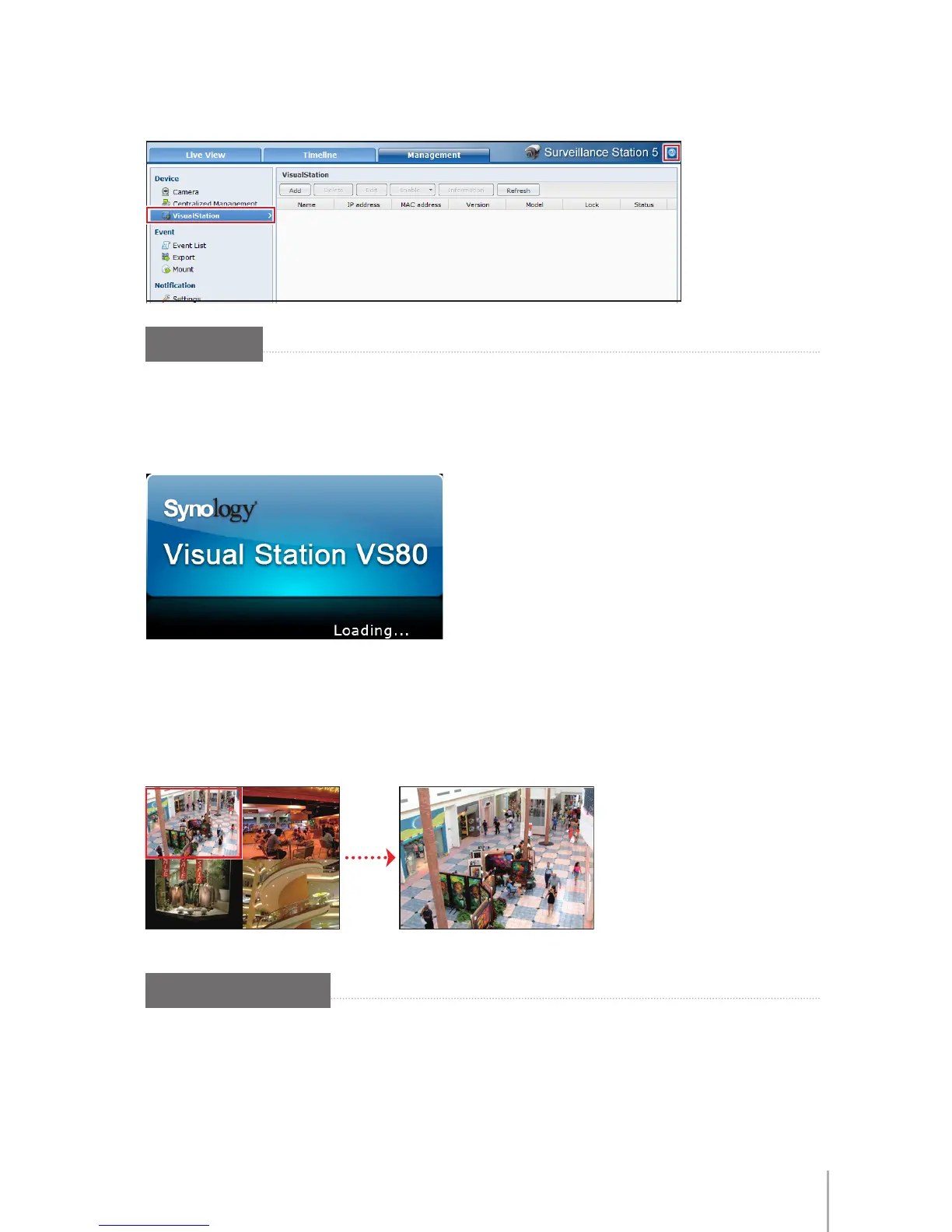
Click on the
VisualStation
tab to enter the setup page. Follow the steps in
Help
(the icon with question mark) to nish setup.
Live-view
To turn on your VS80 to start live-view:
1
Turn on your VS80 by pressing the Power button. The loading image should
appear on screen.
2
When the loading is completed, the live-view will appear on the screen according
to the settings on Surveillance Station.
3
To see any one of the channels in full screen, double-click on it in the live-view.
Double-click anywhere on the screen to return to the multiple-channel view.
More Functions
Right-clicking anywhere on the screen will bring up the functions menu, which
offers the following functions:
Snapshot
,
Start PTZ, Event Playback, Switch
Resolution
,
Firmware Upgrade
and
Information
.








 To Next Page