Chapter 2: Using VS80
13
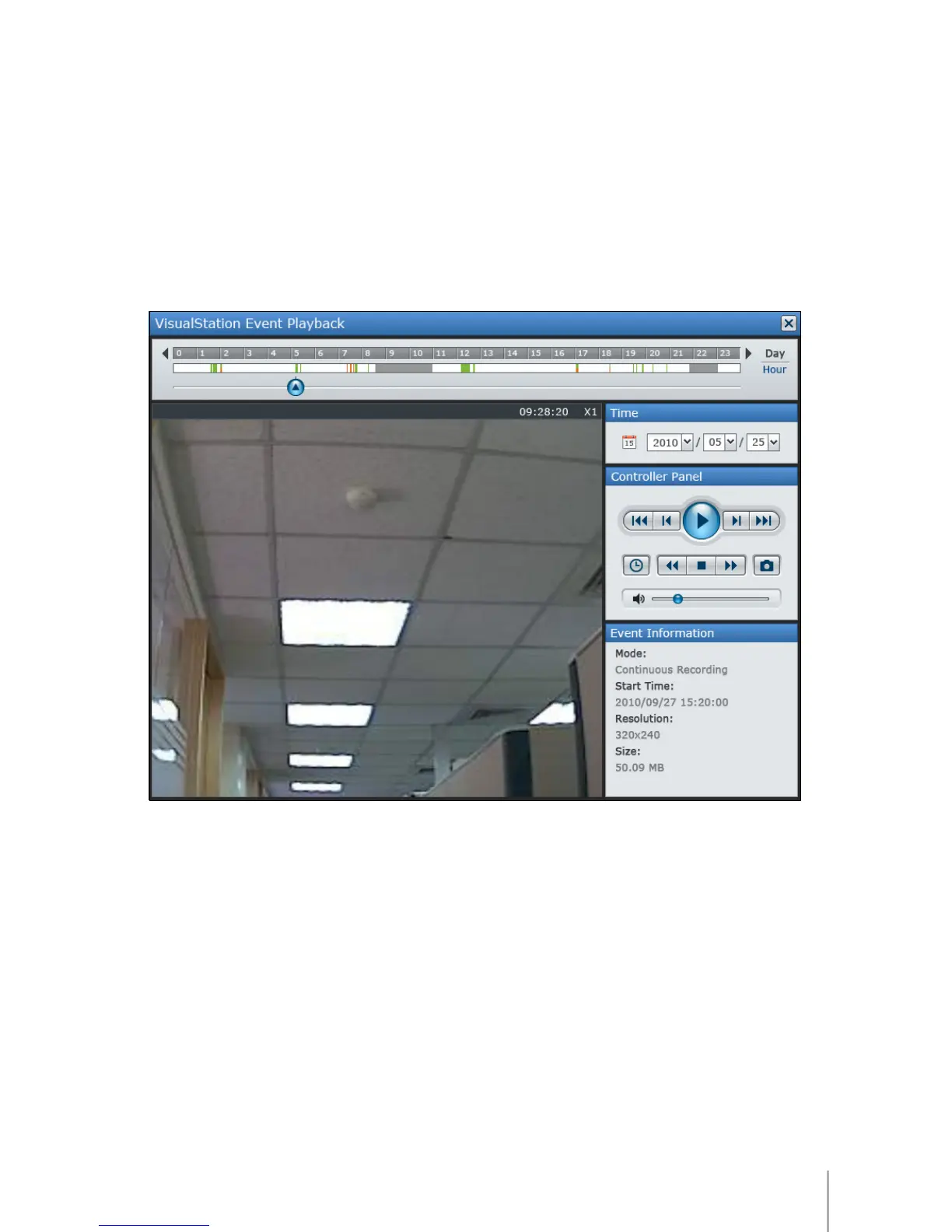
Event Playback
By right-clicking on one channel live view and selecting
Event Playback
, you
can switch to the event player for playback of video recordings stored on your
DiskStation with specied date and time.
The Timeline displayed on top of the event player indicates the time frame there
are events recorded.
Continuous Recording
mode will be marked in gray in the
Timeline.
Motion Detection Recording
mode will be marked in green.
Alarm
Recording
mode will be marked in orange.








 To Next Page