34
IV. Information about GPS state
The GPS fix after a long period of inactivity, or after an important change in geographical
position, can take up to 10 minutes. It is recommended to be outdoor to ease the first
GPS adjustment. We suggest you to turn ON your instrument a few minutes before
taking-off.
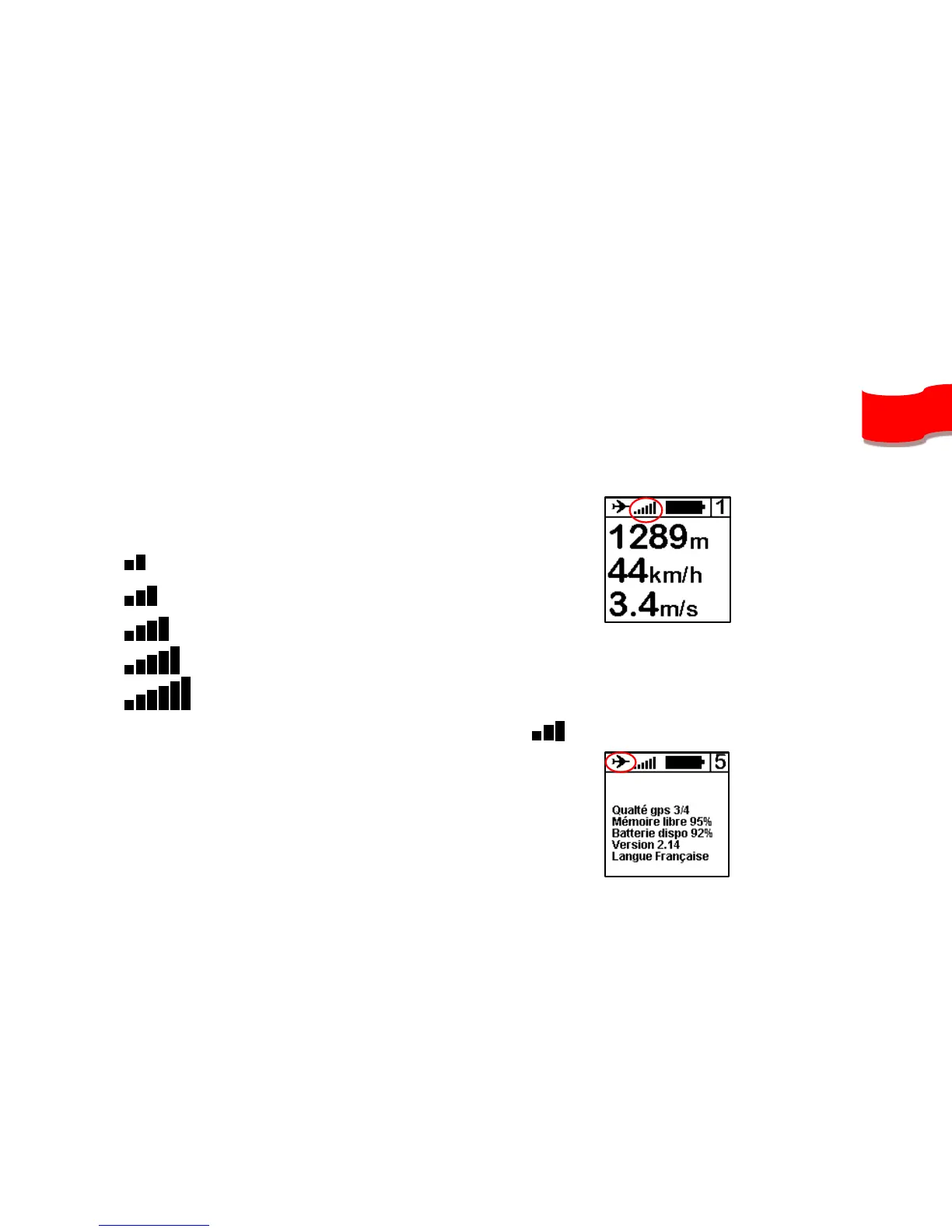
1. GPS state is shown with the bargraph on
the top center of the screen :
Blinking = GPS not ready
Low level signal
Medium level signal
High level signal
Optimum level signal
A number indicates the number of synchronized satellites 6 .
2. The plane icon on the top left of the screen
indicates that your SYS’NAV is recording your
flight. The vario automatically detects when you’re
flying.



 To Next Page