13
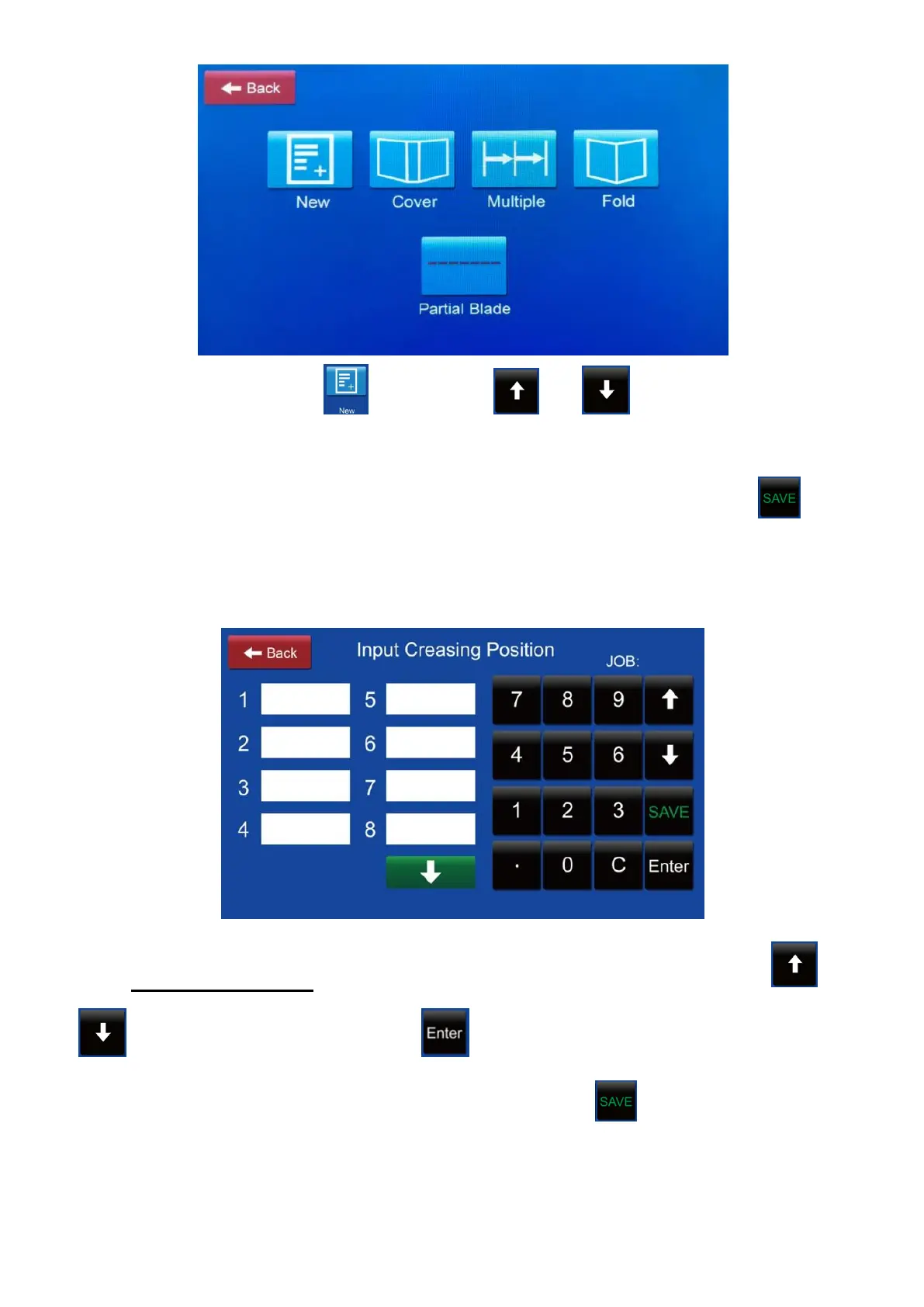
8.1. Manual input: Press then press or to choose the job No..
Tip on the blank box then enter the crease position from the keypad. The
measurement is from the feeding edge to the creasing position. Press to set
the whole job data into memory. 32 position data can be processed in one pass
once.
8.1.1 Open a define job: Access the manual input interface then press or
to choose the job No.. Press to recall the defined crease data to show
on the screen. The data can be modified here. Press to set the whole job
data into memory.



 To Next Page