14
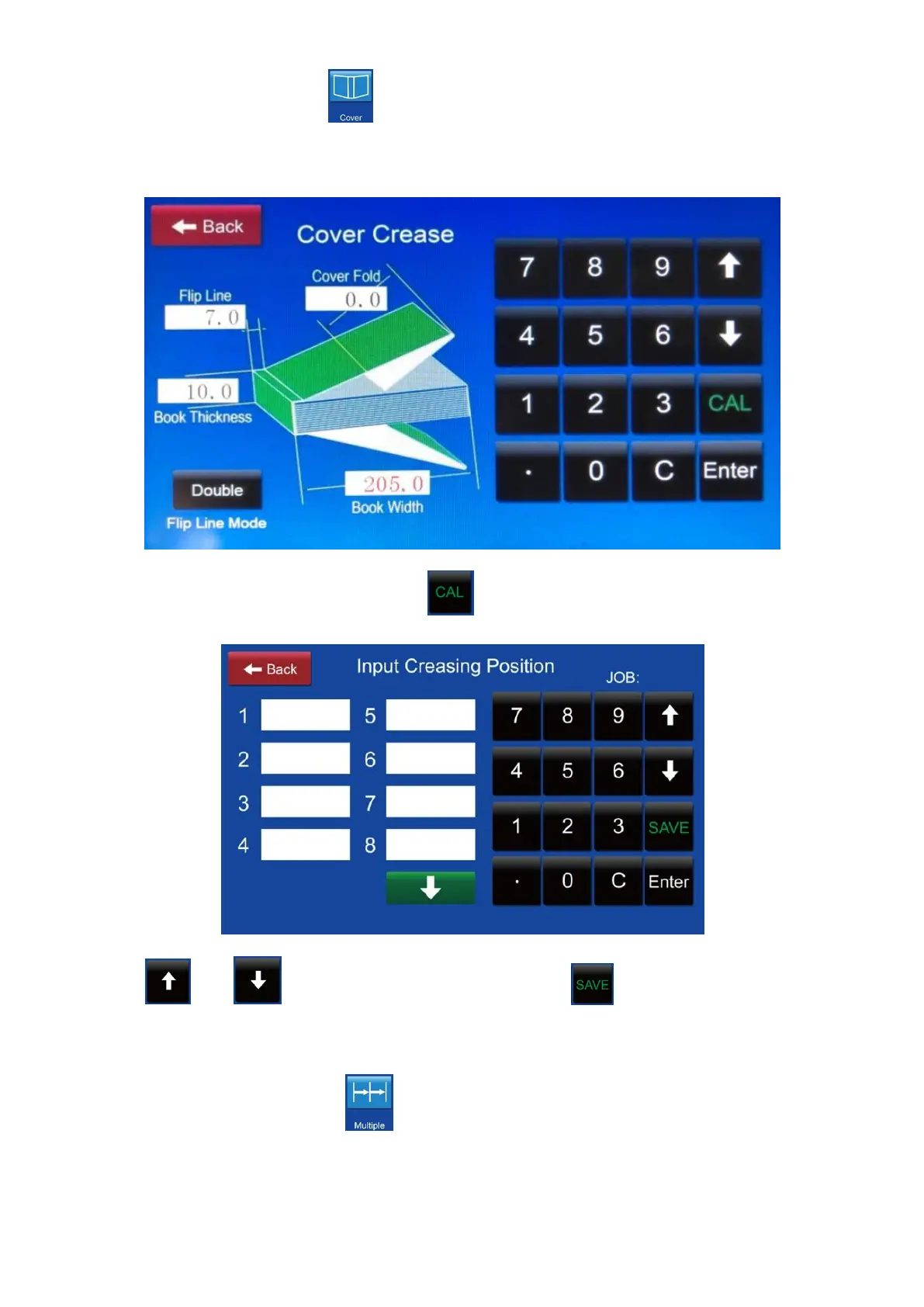
8.2. Cover crease: Press then tip on the blank box then enter the figures
referring to the below illustration.
After finishing settings then press to transfer the settings to crease data.
Press or to choose the job No..Press to set the whole job data
into memory.
8.3. Multiple crease: Press then tip on the blank box then enter the paper
length and the equal fraction.



 To Next Page