21
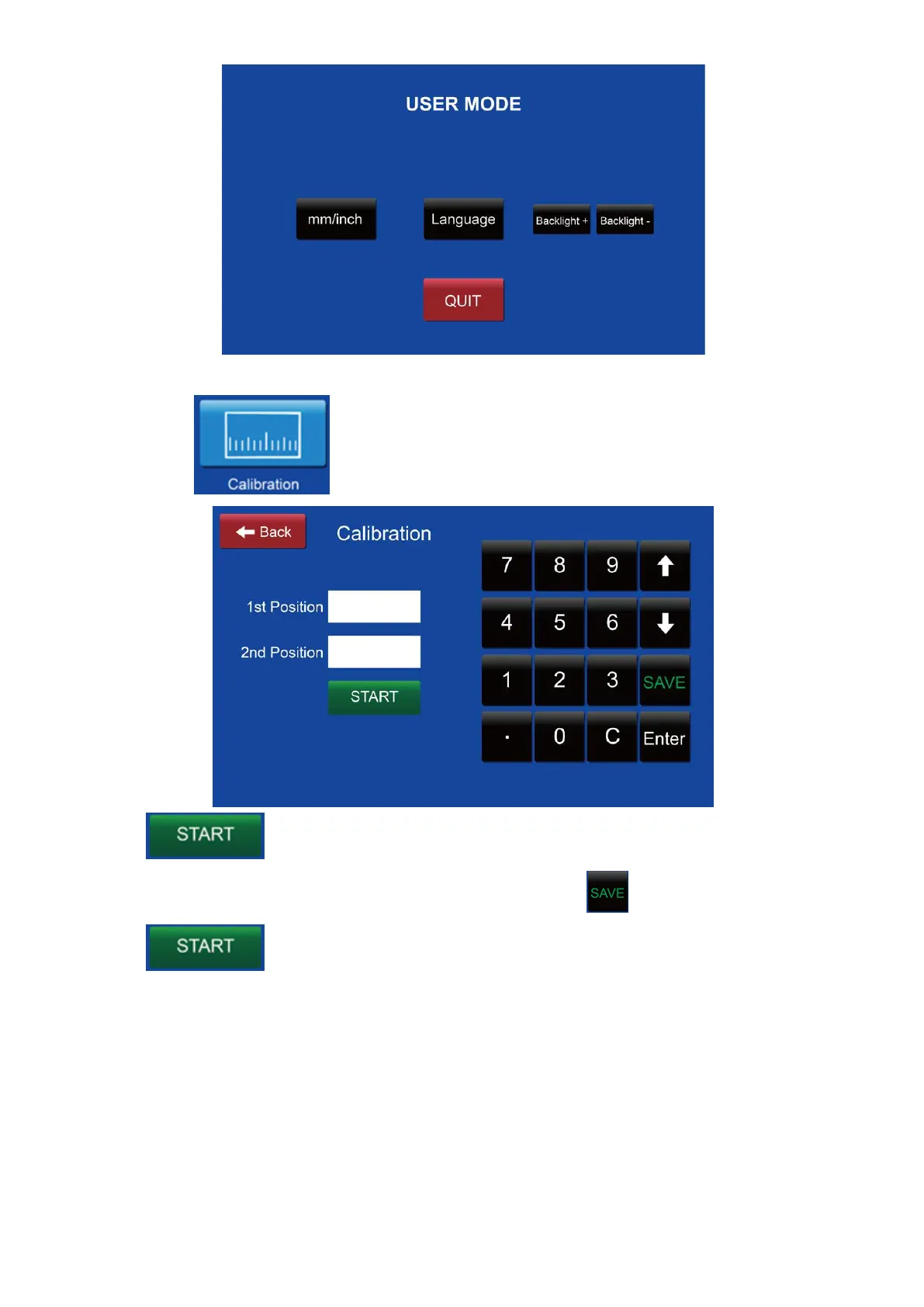
10.3 Press to get into the measurement calibration.
Press then pass one A3 paper. Measure the two position and enter
the actual measurement in the related boxes. Press to set into the memory.
Press again will end the current running.
10.4 Maintenance mode: in this mode, the sensor can be checked their status and
the motors can be tested.



 To Next Page