4 System Program
4 - 20
NA-series Programmable Terminal Hardware User’s Manual (V117)
Quitting the NJ/NX/NY Troubleshooter
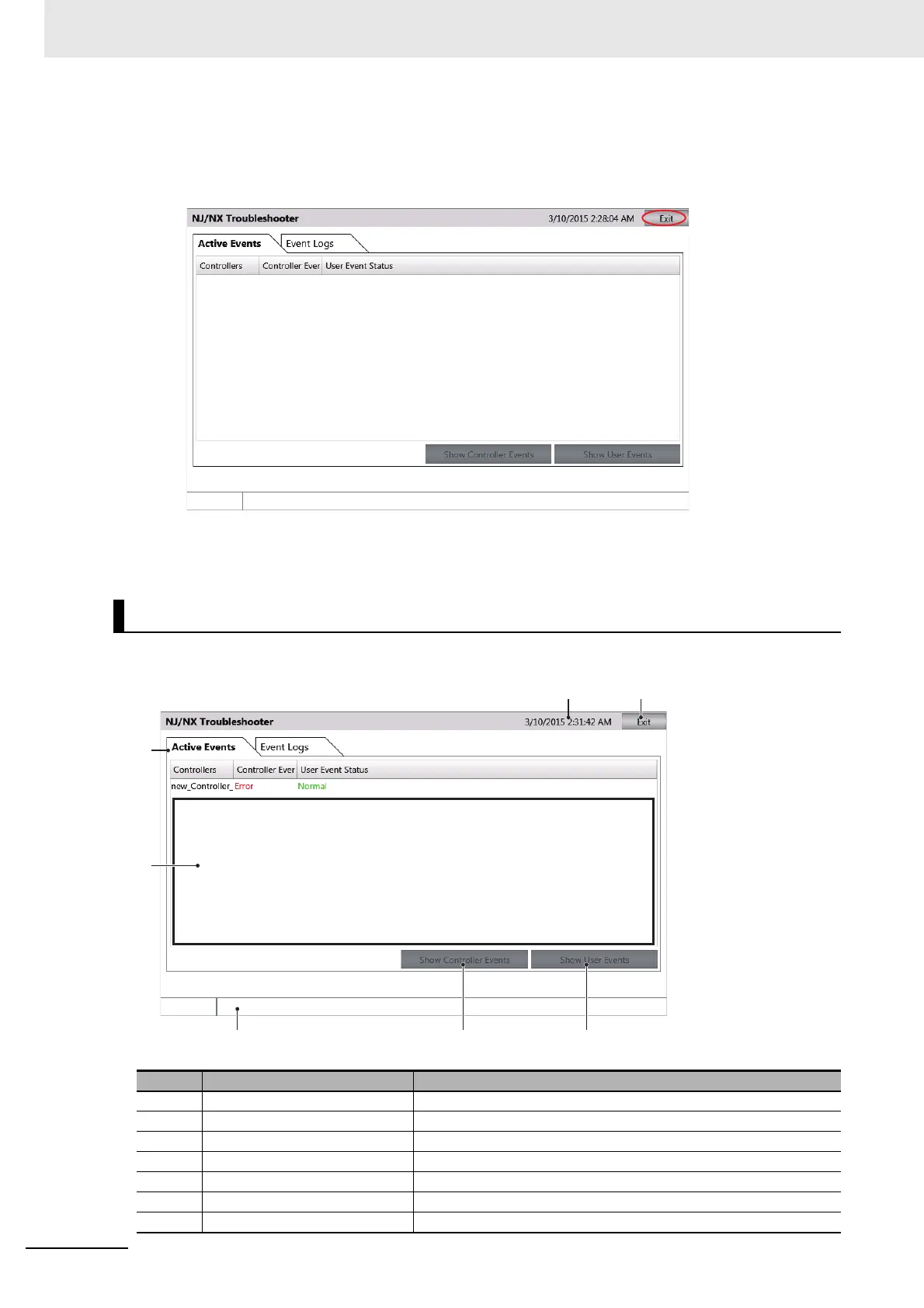
1 Click the Exit Button on the screen that was displayed when the NJ/NX/NY Troubleshooter
started.
2 The display will return to the user screen that was displayed before the NJ/NX/NY Trouble-
shooter started.
The status of the host to which the NA is currently connected is displayed.
NJ/NX/NY-series Controller Status Screen
No. Item Description
1 Exit Button Quits the Troubleshooter.
2 Title Bar Displays the current date of the NA.
3 Tabs Switch between displaying active events and the event log.
4 Status List Displays the status of the currently connected host.
5 Status Bar Displays information on the Controller that is currently selected.
6 Show Controller Events Displays the Controller Event List Screen of the selected host.
7 Show User Events Displays the User-defined Event Lists Screen.



 To Next Page