4 - 43
4 System Program
NA-series Programmable Terminal Hardware User’s Manual (V117)
4-4 System Menu Details
4
4-4-11 Safety Monitor
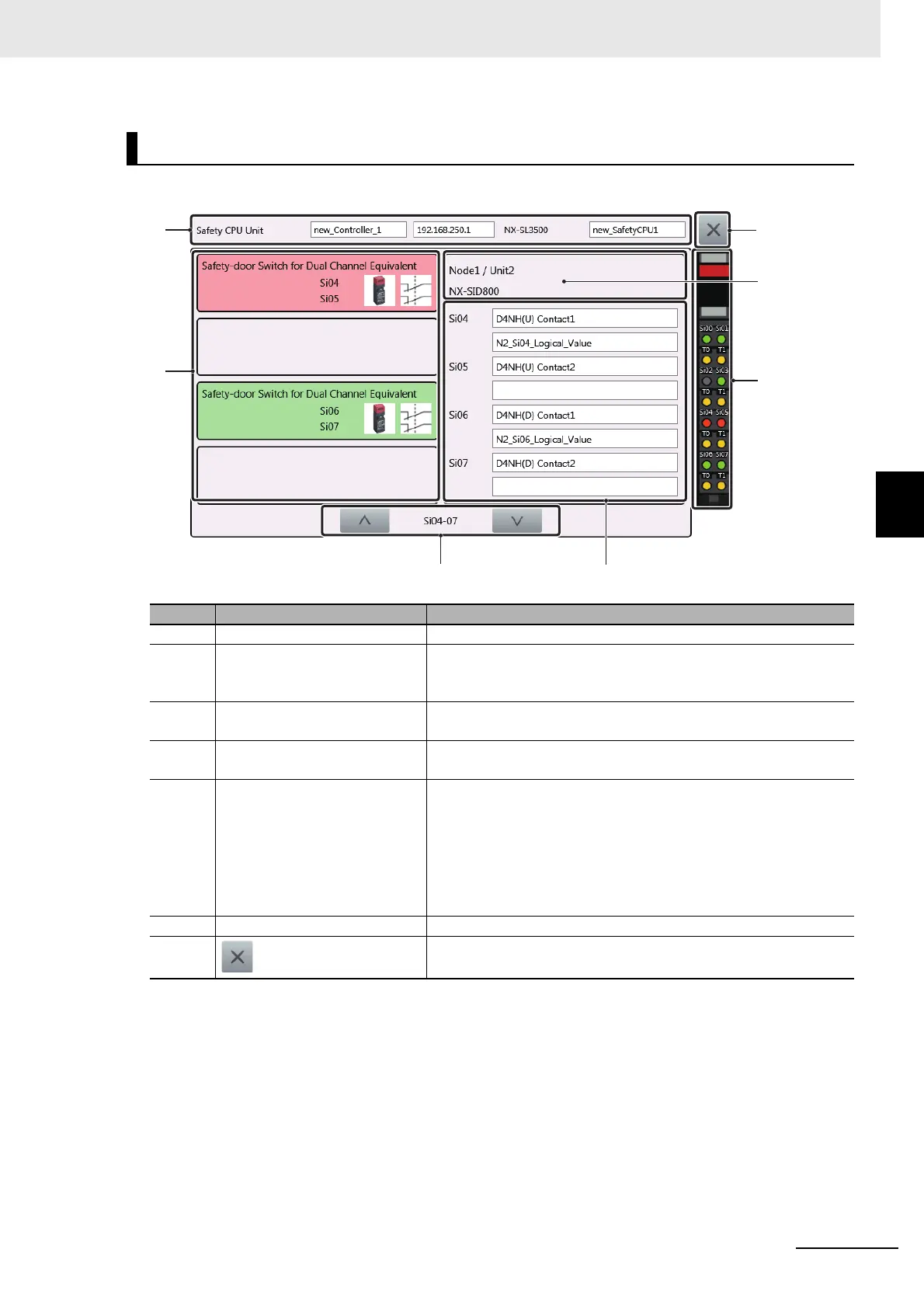
Displays the status of the safety input unit.
Safety input unit monitor
No. Item Description
1 Applicable equipment Displays the CPU unit currently being monitored.
2 External equipment setting
information
Displays information on the equipment connected to the terminal.
Displays the name of the equipment, terminal numbers connected,
as well as corresponding icons.
3 Change display items Changes the items to display when there are four or more display
items.
4 Variable Information Displays the name of the variables assigned to the terminal as well
as any comments.
5 Terminal section monitor Displays the input status of the terminal.
Green: ON
Gray: OFF
Red: Error
Orange: Test output terminal being used
Black: Unused
6 Unit Information Displays information on the displayed safety input unit.
7 Closes the safety input unit monitor.



 To Next Page