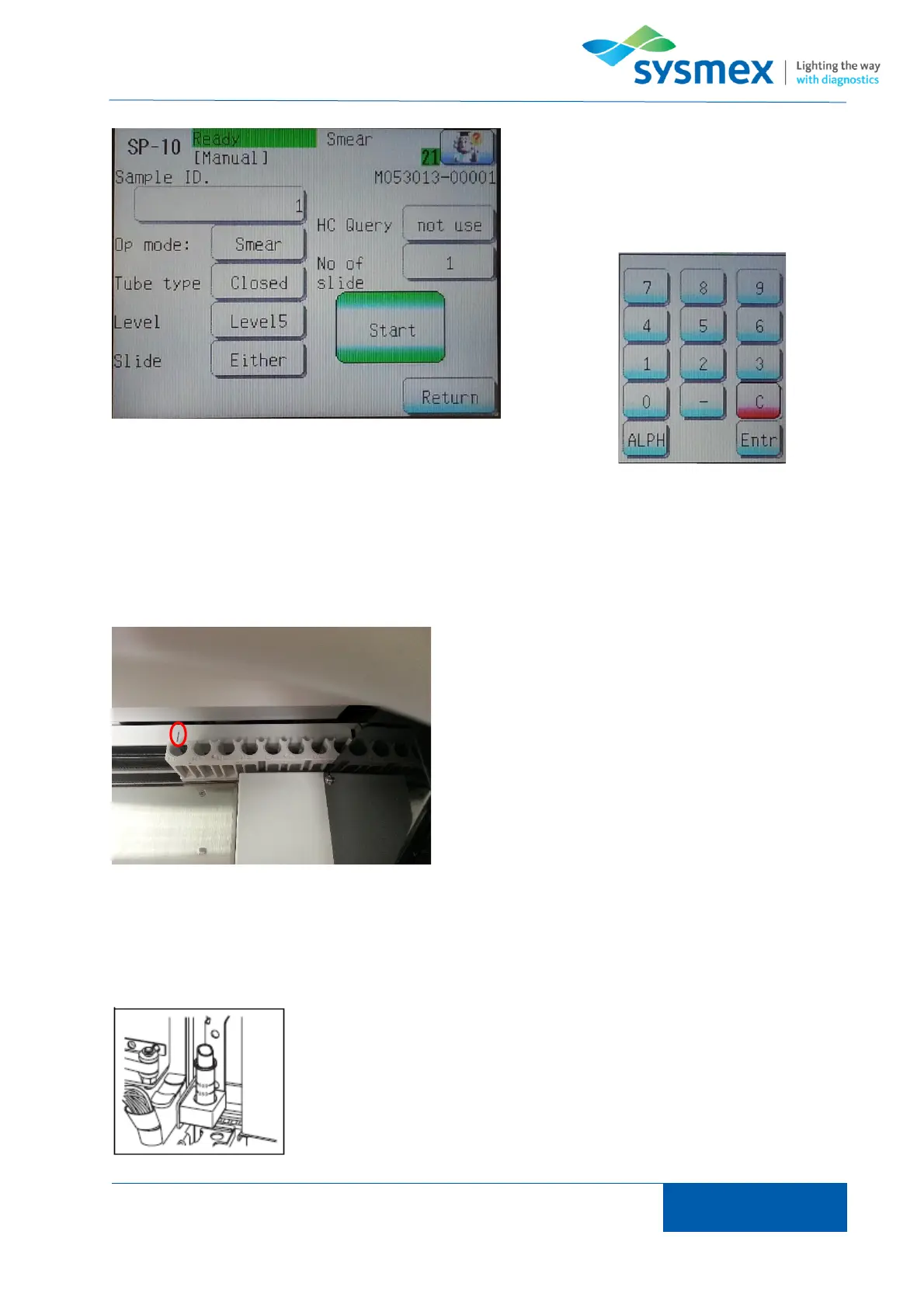
Complete manual screen information by
selecting relevant area and choosing
appropriate option. For ‘Sample ID’ use
keypad to enter required ID.
NOTE: Key pad can be changed from numeric to capital letters using the [ALPH] key. Capital letter
can be changed to lower case using the [alph] key. Lower case can be changed back to numeric
using the [Num] key.
For Manual (Closed) mode manually mix sample,
place sample in position 10 of a sample rack and
place on left side of sampler unit. Align with mark on
sampler unit and press [Start].
IMPORTANT: Sample is not mixed automatically
therefore manual mixing required.
For Manual (micro) mode manually mix sample, remove cap and place
in micro collection tube holder.
IMPORTANT: Sample is not mixed automatically therefore manual
mixing required.



 To Next Page