EasyManua.ls Logo

SYSMEX SP Series - Finding a Smear

SYSMEX SP Series
40 pages
Print Icon
To Next Page IconTo Next Page
To Previous Page IconTo Previous Page
Loading...
Document Ref: SUKBMS-24-
601
Version: 2.0
Page | 30
Date: 19/07/2021
C
Overwritten by host
RACK
‘ ‘
Manual preparation mode
000001 to 999999
Rack number
TUBE
‘ ‘
Manual preparation mode
1 to 10
Sample position in rack
Remain (min)
Approx. time until smear is completed
PRINT 1
Content printed on slide
PRINT 2
Content printed on slide
PRINT 3
Content printed on slide
SERIAL No
Serial number of smear
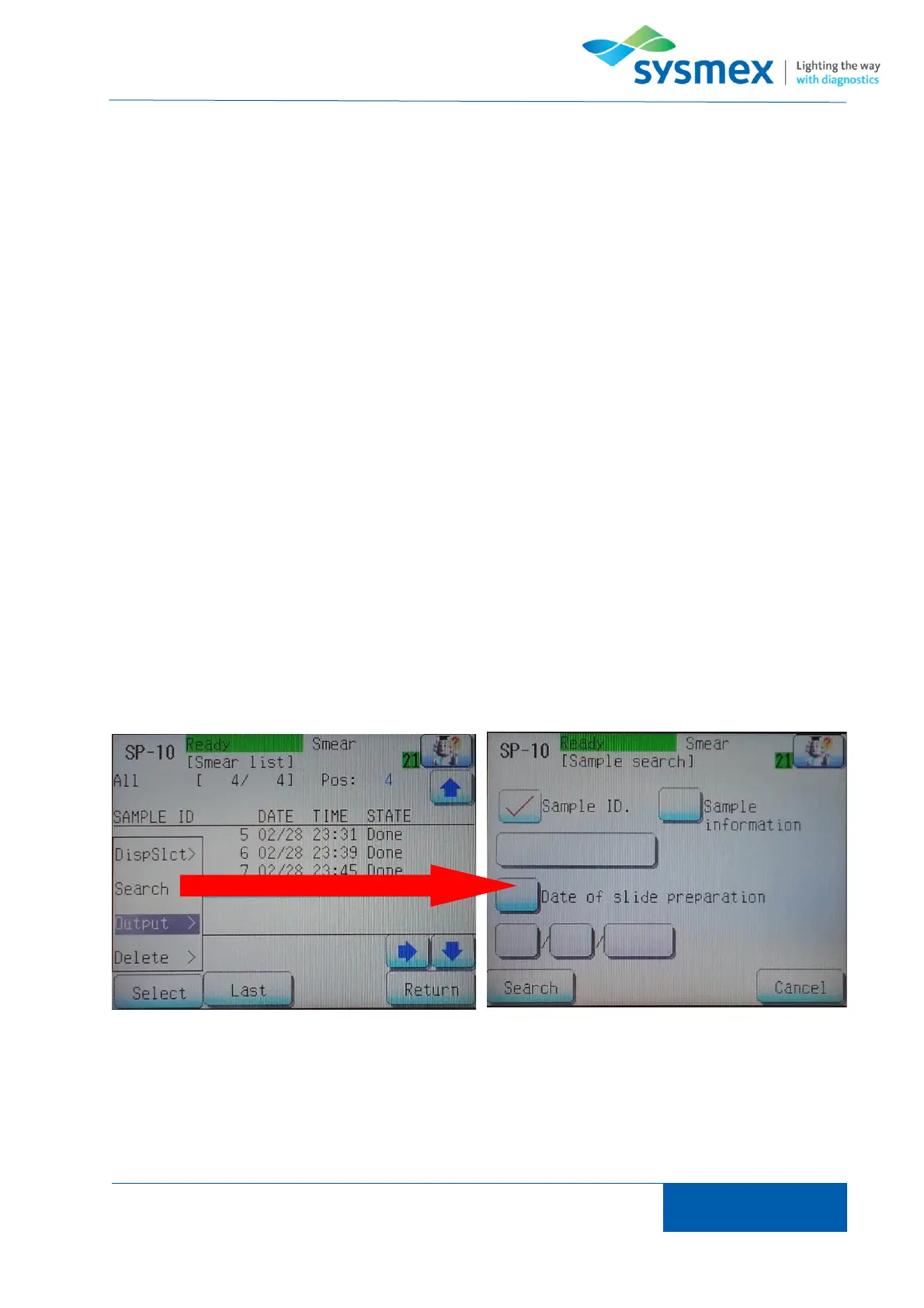
To search for a sample in the smear list ensure that the filter appropriate for the search to be
performed and press [Last] to ensure that last smear in the list is select. NOTE: the SP-series will
search from the current smear highlighted therefore last needs to be selected to ensure the entire
list is searched. Press [Select] and enter appropriate search criteria. The search can be performed
using sample ID, sample info or date of slide preparation. Press [Search] to locate sample within
smear list.

Finding a Smear

Related product manuals