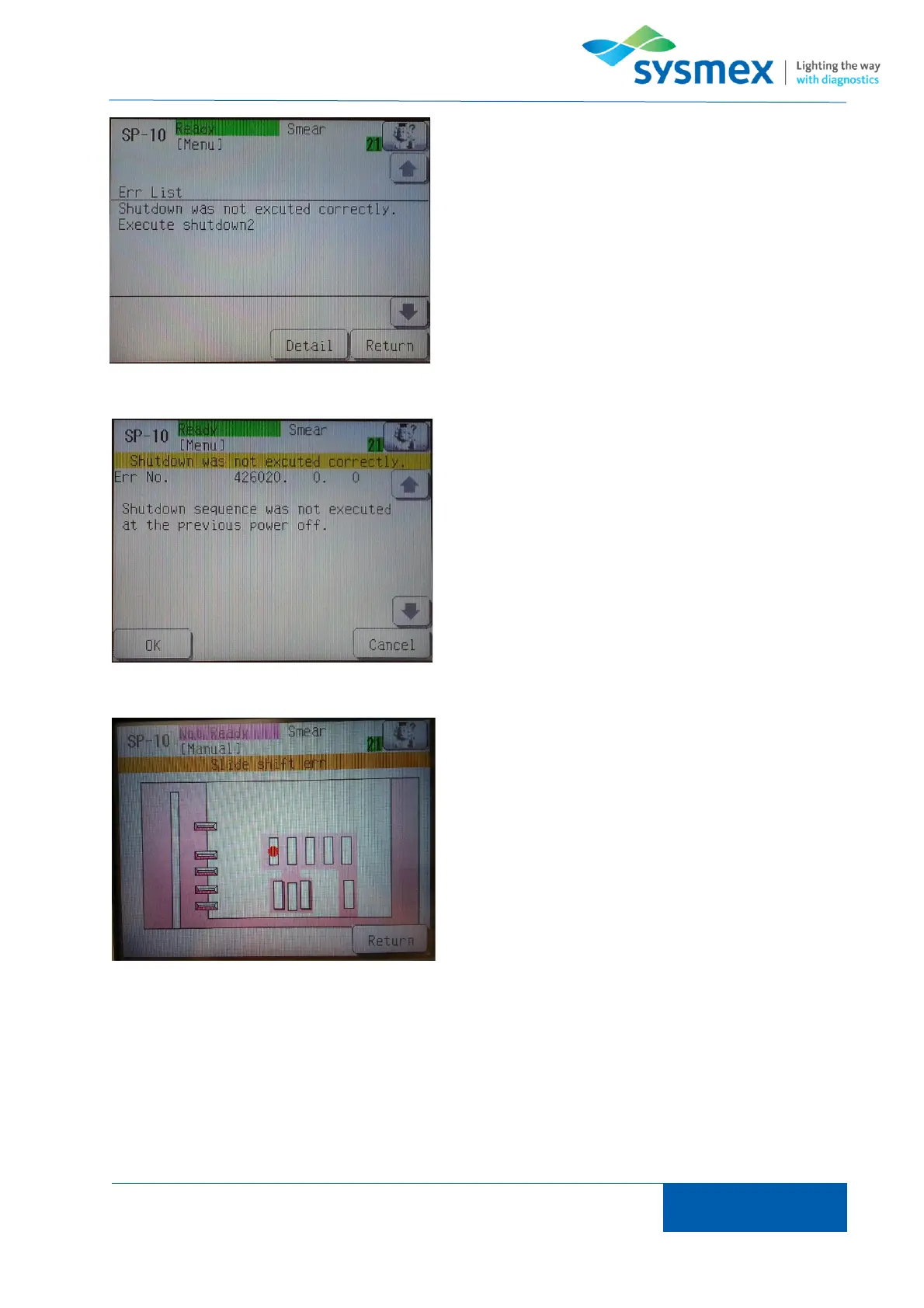
The error list can be viewed by pressing the [Help]
icon. Errors are list in order of priority and are removed
from the list once they have been resolved. To view
the details of an error use the [↑] and [↓] to select the
error to be dealt with and press [Detail].
The ‘detail’ screen displays the action message to
deal with the error that has occurred. Deal with the
error as instructed and press [OK] to reset the
process.
TIP: for some errors that occur the ‘detail’ screen will
have an additional option ‘Err Unit’. Press [Err unit] to
display a schematic of the system. A red dot is placed
where the error has occurred. Once error has been
dealt with press [Return] to return to the detail screen
and action message.



 To Next Page